

Key takeaways
An acceptable use policy (AUP) defines how employees and other individuals can access and use firm technology, systems, and client data.
Professional services firms need a strong AUP to protect sensitive information, meet regulatory obligations, and reduce risk from internal misuse.
An effective AUP should include clear security guidelines, defined prohibited activities, access controls, and enforcement procedures.
Regular reviews, employee training, and secure, industry-specific technology help ensure the policy remains effective as your firm evolves.
Professional services firms handle a large volume of sensitive material every day, including client financial records and legal documents, project files, and personal data. For law firms, accounting practices, architecture firms, and other professional organizations, a single security lapse can strain client relationships, create compliance problems, and leave the business exposed to legal and financial risks.
These vulnerabilities can be costly: IBM reports that the global average cost of a data breach reached $4.4 million in 2025. Many of these incidents are not attacks by hackers, but the result of actions by people with legitimate access to company systems, whether through poor judgment, weak controls, or careless handling of sensitive files.
An acceptable use policy, or AUP, sets clear rules for how employees, contractors, and other authorized users can access and use your firm’s devices, systems, internet connection, software, and data. A strong acceptable use policy provides people with a practical standard to follow before a problem occurs.
This article explains what an acceptable use policy should cover, which AUP policy elements matter most for professional services firms, and how to draft guidelines your team can actually follow. It also outlines best practices for keeping the policy current as technology evolves.
What is an acceptable use policy, and why does your firm need one?
An acceptable use policy is a written set of boundaries for how people with access to your firm’s technology should use that access in day-to-day work. A strong AUP for businesses covers employees, contractors, temporary staff, and any other authorized users, and it spells out expectations for computers, networks, software, email, internet access, mobile devices, and client-facing systems.
The purpose of an AUP is not limited to preventing malicious behavior. It gives your team a shared standard before something goes wrong, helps managers respond consistently when a violation does happen, and reduces confusion about what is allowed.
For law firms, an AUP should address the management of privileged communications, trust account data, and case files. A security lapse can create business risk and raise ethical concerns related to client confidentiality obligations.
For accounting firms, the policy should include measures to protect highly sensitive financial materials such as tax records, banking details, and payment information. Clear rules support safer data handling and help reinforce compliance expectations around payment security and client records.
For professional business firms in areas including architecture and engineering, an AUP should protect project files, proprietary designs, and contract-related materials. In these environments, weak controls can put intellectual property and client confidentiality at risk.
An AUP also creates a documented basis for enforcement, giving employers clear guidance when disciplinary action is needed. And when employees understand what an acceptable use policy is and the rules that go with it, it’s easier for them to consistently follow best practices.
Key components of an acceptable use policy
An effective acceptable use policy sets clear expectations for how firm technology and client data are accessed, used, and protected in day-to-day work. Below is a breakdown of how to create an AUP policy, including the core elements it should include.
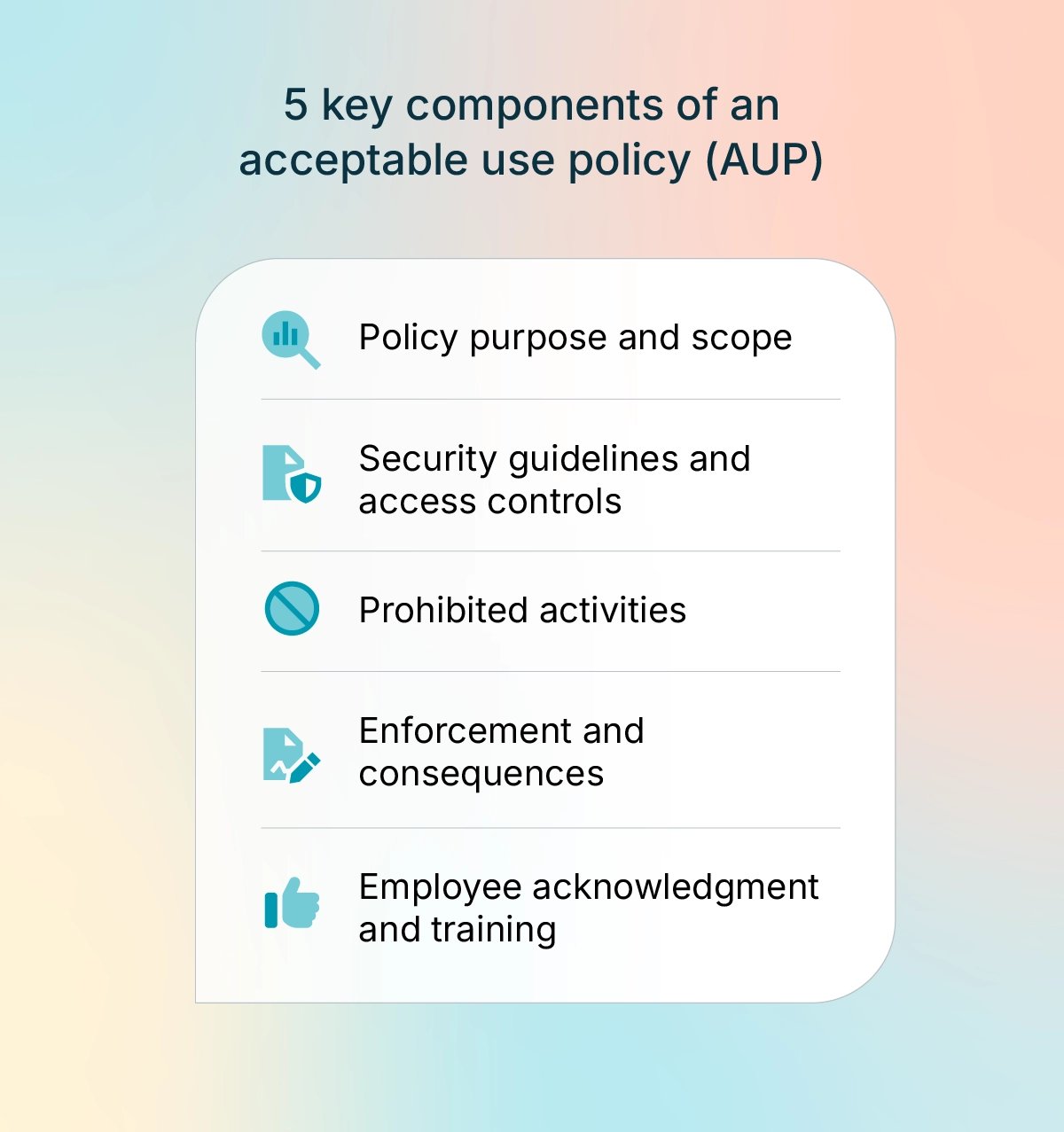
1. Policy purpose and scope
The first section of your AUP should state, in plain terms, what the policy governs and who it applies to, including:
Purpose: Indicate that the policy is designed to protect firm data, meet compliance standards, and set clear rules for acceptable technology use.
Scope: State that the policy applies to employees, contractors, interns, temporary staff, and any other person with access to firm systems or firm data.
Technologies covered: List the systems and tools covered by the policy, such as desktop and laptop computers, mobile devices, email, internet access, cloud applications, internal networks, and business software.
Sample AUP opening statement: “[Firm name]’s acceptable use policy establishes the standards for using firm technology and data in a manner that protects client information, ensures secure operations, and meets applicable regulatory and professional requirements. It applies to all personnel and all approved technologies used to conduct firm business.”
2. Security guidelines and access controls
This section should outline your firm’s security standards as concrete rules that employees can follow consistently. Common guidelines include:
Passwords: Require strong passwords, set a regular password change schedule, and make it clear that credentials may never be shared.
Multi-factor authentication: Require MFA for any system that stores client data, handles billing, stores documents, uses case management tools, or contains other sensitive records.
BYOD: Personal devices used for work should meet minimum security standards, including encryption, passcode protection, and remote wipe capability.
Remote work: Require secure Wi-Fi connections and virtual private networks (VPN) where appropriate, and prohibit viewing or transmitting client data over public networks.
Software installation: Allow only approved applications on firm-managed devices.
The National Institute of Standards and Technology (NIST) Cybersecurity Framework provides recommended security guidelines for various types of businesses and organizations. In a professional services environment, these controls help protect client confidentiality, which is both an ethical obligation and a basic business requirement.
3. Prohibited activities
An AUP should also define specific activities that are not permitted. Common examples include:
Accessing client data for any non-work reason
Sharing login credentials with coworkers, vendors, or outside parties
Disabling or bypassing security settings, authentication steps, or monitoring tools
Using firm technology for personal commercial activity
Installing unauthorized software, browser extensions, or apps on firm devices
Sending confidential client information through personal email or unencrypted messaging tools
Connecting unauthorized devices to the firm’s network
The SANS Institute offers a free library of information security policy templates, including sample language for discussing prohibited activities in an AUP.
4. Enforcement and consequences
An AUP should explain how the firm will verify compliance and clearly outline consequences for policy violations. Areas to cover include:
Monitoring: State that the firm may use network monitoring, access logs, and periodic audits to review compliance with security and acceptable use requirements.
Progressive discipline: Outline a sequence of consequences, such as verbal warning, written warning, suspension of system access, and termination.
Serious misconduct: Make it clear that gross negligence or deliberate misconduct, such as intentional data theft or unauthorized disclosure, may lead to immediate termination and possible legal action.
Sample AUP enforcement statement: “Violations of this policy may result in disciplinary action, up to and including termination. Incidents involving client data or confidential information may also require notification to clients, licensing authorities, or regulators. Third-party vendors, consultants, and contractors who violate this policy may face contract termination and be subject to legal action.”
5. Employee acknowledgment and training
An acceptable use policy only works if employees read and understand it. These steps help reinforce expectations and create a clear record of compliance:
Acknowledgment: Require every employee and contractor to sign a statement confirming they have read and understand the AUP.
Onboarding: Include AUP review in new hire orientation so expectations are clear from the start.
Ongoing training: Provide annual refreshers on security practices, policy updates, phishing risks, and social engineering tactics.
Recordkeeping: Keep signed acknowledgments on file to document compliance efforts and support enforcement if an issue arises.
For professional services firms, employee training is both a security best practice and a compliance requirement. Many industry standards—such as PCI DSS, HIPAA, and SOC 2—require firms to document security awareness training.
Best practices for creating an effective AUP
AUPs should be clear, enforceable, and aligned with how your firm actually operates. Here are some guidelines to keep in mind:
Use clear language: Write in plain terms and avoid unnecessary technical jargon. Your policy should make sense to everyone who uses firm technology systems, from partners to support staff.
Stay specific without boxing yourself in: Policies should be clear enough to enforce but broad enough to stay relevant as technology evolves.
Prioritize the risks your team is most likely to face: Emphasize common risk factors like weak passwords, unsecured file sharing, personal devices, and remote access, rather than getting too granular. A long list of unlikely scenarios can make policies harder to navigate and remember.
Give the reason behind the rule: Context can go a long way. Employees tend to follow requirements more consistently when they understand the rationale and importance of the rules.
Review the policy regularly: Revisit it at least once a year to ensure it reflects current systems, workflows, and security concerns.
Track every revision: When you make updates, add the revision date and a short note describing what changed. That record makes it easier to confirm that guidelines are still current.
Make it easy to access: Post the AUP where employees access other company policies, such as your intranet or handbook. It should also be part of onboarding and other training materials.
Have legal counsel review it: In professional services firms, AUPs must align with applicable laws related to client confidentiality, data handling, contracts, and payment security. A legal review helps ensure your policy aligns with these requirements.
How professional services firms benefit from a strong AUP
In addition to promoting better security practices, an AUP policy for businesses can benefit firms in a number of other ways, from improved client relationships to smoother operations. Examples include:
Client trust: Clients expect your firm to protect their sensitive personal and financial information. A documented AUP shows that clear standards are in place to safeguard that data.
Compliance: For law firms, accounting practices, and AEC businesses, technology use is tied to specific regulatory and contractual requirements. An AUP reinforces expectations related to ethical rules, payment security, recordkeeping, and confidentiality.
Reduced liability: If an incident occurs, a documented and enforced policy can help show that the firm took reasonable steps to prevent misuse. That can make a difference when insurers, regulators, or clients examine how the firm managed risk.
Operational efficiency: Fewer security incidents mean fewer disruptions to daily work. Clear rules help teams stay focused on client work instead of diverting time and resources to incident response and remediation.
Safer technology adoption: An AUP creates guardrails so new technology can be used in ways that support the business without creating unnecessary risk.
Protect your data with secure, industry-specific business solutions
An acceptable use policy sets clear expectations for your team, but those rules are only effective when the technology your firm relies on is secure and meets the requirements of your profession.
8amTM is a PCI Level 1 certified business platform built with advanced data encryption, robust cybersecurity safeguards, and compliance-ready infrastructure that protects firm and client data at every stage. The 8am ecosystem of business solutions, which includes LawPay, MyCase, CPACharge, CasePeer, and ClientPay, was developed specifically for firms that handle sensitive client information, with tools and workflows tailored to the needs of each industry.
To learn more about how 8am security and compliance supports your firm’s data protection goals, schedule a demo today.