
The hidden cost of busywork: A survey on admin, burnout & AI
| Zoz Cuccias
8am's 2026 Admin Misery Index reveals how admin work drains hours, morale, and revenue — and where AI can help most.

8am™ blog

Aug 11, 2026 | Rob Heidrick
According to the 2026 Legal Industry Report, 69% of legal professionals at solo and small firms now use AI at work, with more than half using it every day or several times a week. General-purpose AI and legal-specific AI each play distinct roles in supporting legal work. Trust, security, and governance continue to shape how firms adopt AI. Starting with low-risk tasks, choosing legal-specific tools, and establishing clear policies can help firms adopt AI more effectively.

Jul 31, 2026 | Rob Heidrick
Hiring a lawyer often comes with important decisions, tight timelines, and significant financial considerations. Whether you're dealing with a family law matter, a business dispute, estate planning, immigration paperwork, or another legal issue, legal fees are frequently due before work begins or as a case progresses. Legal fee financing allows clients to pay for legal services over time through a third party instead of paying the entire cost to the law firm upfront. Depending on the financing option, payments may be spread across several months through a fee loan or installment plan. In this guide, we'll explain how fee financing works and answer common questions about the process. What is Pay Later? Pay Later through Affirm gives eligible clients a flexible way to pay legal fees over time, instead of paying the full amount upfront. If you’re working with a law firm that uses a solution like 8am LawPay to collect payments, Pay Later through Affirm lets you apply for financing during checkout and choose from available installment options, subject to eligibility. With Affirm, you can review your options before choosing a plan, including the annual percentage rate (APR), payment schedule, total repayment amount, and any amount due at the time of payment. There are no late fees, and checking eligibility does not affect your credit score. Pay Later plans available through firms that use LawPay may include: Financing for legal fee transactions up to $30,000 APRs from 0% to 36%, based on eligibility Terms that may include 3, 6, 12, 18, or 24 months No late fees First payment typically due about one month after payment is processed A down payment may be required in some cases How to use Pay Later, step-by-step Here are the key steps for setting up a payment plan with Pay Later: 1. Choose Pay Later at checkout When paying your legal fees to a participating law firm, select Pay Later as your payment option. 2. Check your eligibility Complete a secure application with basic information, including your name, date of birth, phone number, and Social Security number, to check your eligibility. This initial check doesn’t require a hard credit inquiry, so it won’t affect your credit score. 3. Receive a financing decision In many cases, you'll receive a decision within seconds. Approval and financing terms are based on several factors, which may include your credit profile, financial history, existing debt obligations, prior payment history with Affirm, any current Affirm payment plans, and the amount of financing requested. 4. Review plan options If approved, Affirm will show up to three payment plan options available to you. Before making a selection, you can review details such as: APR Payment schedule Total interest over the life of the loan Amount due at the time of purchase, including a down payment if required Purchase amount for your legal services Total repayment amount Any other applicable fees 5. Select and confirm your plan Choose the option that works best for you, review the loan terms and disclosures, and add your payment method. 6. Manage payments with Affirm Once confirmed, your attorney receives payment for the legal services, and you can manage your plan through Affirm’s website or mobile app. 7. Move forward with your case With payment arrangements in place, you can focus on working with your lawyer. Explore your payment options Researching your payment options can help you find an arrangement that fits your financial situation and gives you greater flexibility. Before accepting a financing agreement, review all of the terms, costs, and repayment schedule carefully so you can make an informed decision. If you'd like to learn more about financing legal fees, ask your lawyer whether they offer financing through Pay Later or other flexible payment arrangements.

Jul 16, 2026 | Neha Luthra
Tribeca Festival has long been a fixture of New York City's cultural calendar, bringing together filmmakers, actors, creators, and audiences for world premieres and conversations across film, television, music, and more. During this year's festival, held June 3–14, 8am partnered with Tribeca to invite customers, partners, and members of the legal community to experience a small part of it alongside us. The red carpet outside the OKX Theater was alive with activity throughout the festival. Photographers captured arrivals, guests mingled before screenings, and familiar faces like Matt Damon and James Franco added to the excitement. Through our partnership with the Tribeca Festival, 8am sponsored two events celebrating the world premieres of Finnegan's Foursome and Mumford & Sons: The House Band. Each offered something unique, from intimate receptions and afterparties to surprise performances and candid conversations with fellow attendees. Although the films told very different stories, both explored community, collaboration, and meaningful relationships—the same spirit that defined the experiences we shared with our customers throughout the festival. Bringing legal professionals into the Tribeca experience The Tribeca Festival celebrates the work of countless people and teams who bring great films to the screen. That collaborative spirit made the festival a natural fit for 8am. Great work is almost always a team effort. Whether it's bringing a film to the screen or helping a client navigate an important decision, success depends on the people working behind the scenes to make it happen. Our partnership with the festival gave us an opportunity to recognize those professionals while bringing them together in a setting that encouraged conversation, new perspectives, and genuine connection. Throughout the festival, we connected with customers from firms of different sizes, practice areas, and stages of growth. We also hosted business partners who help us build better solutions for legal professionals. Bringing together longtime customers and newer members of the 8am community created opportunities to exchange ideas, compare experiences, and make new connections. Two unforgettable evenings Our first event featured the world premiere of Finnegan's Foursome, Edward Burns' comedy about family, legacy, and an unforgettable golf trip through Ireland. After the excitement of the red carpet, guests found personalized golf-themed gifts waiting at their seats before settling in for the screening. The celebration continued at the official after-party, where guests spent time with fellow attendees, members of the cast, and the 8am team in a more relaxed setting. A few days later, we gathered again for the premiere of Mumford & Sons: The House Band. A happy hour at Terroir Wine Bar gave guests an opportunity to get to know one another before the film, setting the stage for another memorable night. The documentary followed the band's train tour through the United States, capturing the joy of creating music alongside friends and collaborators. After the film, the audience received a surprise when Mumford & Sons stepped onto the stage for an intimate acoustic performance. It was one of those moments that everyone in the room will remember. Shared experiences, lasting relationships One of the most rewarding parts of Tribeca was hearing what the experience meant to the people who joined us. We set out to create opportunities for customers to connect, enjoy something unique together, and spend time with peers outside the office. Knowing those moments resonated made the week even more meaningful. Jennifer Riley of the Law Offices of Jennifer Riley shared a perspective that stayed with me. "I was so proud to be an 8am customer," she said. "When I saw the presence of the company at Tribeca and the enthusiasm of your team, I really felt very proud to be a part of the organization as a customer." Andrea Godfread-Brown of Berardi Immigration Law described the festival as “a very special evening filled with good vibes and a community feel.” She also noted that our team made her feel welcome and valued throughout the event. Feedback like that means a great deal to all of us at 8am. I'm grateful to everyone who joined us during the Tribeca Festival and helped make these evenings memorable. Whether we were talking about legal technology, reflecting on the films, or simply enjoying the atmosphere together, every conversation reinforced why relationships remain at the center of what we do. I look forward to sharing many more memorable experiences with our customers in the years ahead.

Jul 16, 2026 | Gabriela Jhean
The adoption gap: 69% of family law professionals personally use general-purpose AI, but only 25% of firms have adopted legal-specific AI tools. High usage frequency: 55% of practitioners use AI tools every day or several times per week. Lagging governance: 55% of family law firms have no formal AI policy, and 64% provide no staff training. Primary workflows: Document drafting (84%) and strategic brainstorming (78%) represent the top use cases for AI among family law professionals.

Jul 14, 2026 | Rob Heidrick
64% of criminal law professionals now use general-purpose AI tools at work, though firmwide adoption of legal-specific AI remains in the early stages. Research, document review, drafting, and brainstorming are the most common ways criminal defense professionals are using AI today. Most criminal law professionals report that AI improves efficiency, while many also see higher-quality work even without measurable time savings. Trust, ethics, data security, and attorney-client privilege remain the biggest barriers to broader AI adoption in criminal defense firms.

Jul 9, 2026 | Leslie Witt, CPO of 8am
Small and medium-sized law firms are not seeing the same slowdown in collection rate reported among Big Law. 8am™ MyCase data shows 30-day collection rates improving over the last two years. Firms - especially in the 4-10 attorney cohort - on average are billing more, expanding headcount, and taking on more cases. However, more than $7 billion in bills sit overdue and uncollected across firms, presenting both a challenge and opportunity. Payment enablement is the clearest dividing line between firms gaining and losing ground. Firms that enable online payments collect 4.5x faster than those without.

Jul 1, 2026 | Gabriela Jhean
AI agents automate legal workflows with minimal human involvement, helping law firms reduce administrative work and improve efficiency. The best AI agent depends on your firm's needs, whether that's legal research, client intake, case preparation, or ongoing client communication. AI agents deliver the greatest value when they integrate directly with practice management software, keeping case data connected and reducing manual work. Firms should evaluate AI agents based on practice-area fit, workflow integration, factual accuracy, and security before making a decision.
Jun 17, 2026
Kaleidoscope 2026 is in Las Vegas and brings together firm leaders, legal innovators, and practitioners from across the 8am product community for two days of sessions, networking, and hands-on learning. Sessions cover AI in legal practice, growing your book of business, fee structures, and client acquisition, with strategies designed to be actionable the week you return. Keynote speaker Jesse Cole built the Savannah Bananas into a global phenomenon by rethinking every convention his session on bold, people-first thinking is directly applicable to running a modern law firm. Attendees can earn CLE credit while at the conference, making Kaleidoscope a compliance win on top of a professional development one.

Jun 15, 2026 | Rob Heidrick
AI skills for lawyers include prompt writing, output review, workflow integration, and ensuring responsible use of AI tools within legal practice. Legal professionals are adopting AI rapidly, while many firms are moving more slowly to develop formal policies, training programs, and implementation strategies. Human-centered skills such as legal judgment, client communication, negotiation, and strategic thinking continue to grow in value alongside AI adoption. Firms often see stronger results when AI tools are integrated into existing case management workflows and mesh well with the daily routines of attorneys and staff.

Jun 12, 2026 | Gabriela Jhean
AI adoption among legal professionals has surged, with 69% now using AI tools regularly, but many firms still struggle to quantify firm-level ROI. The highest-return AI use cases include document drafting, legal research, document summarization, document review, and automated timekeeping. Effective ROI measurement starts with establishing a baseline, tracking time savings, evaluating quality improvements, monitoring firm-wide adoption, and assessing workflow integration. Common barriers to ROI include lack of training, missing AI policies, trust concerns, and reliance on disconnected standalone tools. Integrated legal AI solutions like 8am IQ can help firms turn AI adoption into measurable business outcomes by improving efficiency, capturing more billable time, and reducing administrative overhead.

Jun 4, 2026 | Rob Heidrick
Optical character recognition (OCR) converts scanned images of text—including dense legal documents, signatures, and complex formatting—into searchable, readable text and structured data, without requiring manual re-entry. OCR is now available in 8amTM MyCase: With 8am IQ Discovery Assistant, firms can automatically convert scanned PDFs and image files into searchable text. Scanned files can also be used for AI-assisted search and drafting. For law firms, this closes the gap between the physical documents you receive and the case management solution your team works in every day.

May 26, 2026 | Nicole Black, Esq.
69% of legal professionals already use AI at work. The question is no longer whether to adopt it, but how to use it without creating new risks. For correspondence and drafting, your prompt is the product: How you instruct the AI determines whether the output sounds like you or like a bot. Legal research is a high-risk AI use case: Only trust tools purpose-built for legal work, and verify every citation. AI assists your judgment; it doesn't replace it. Review every output before it leaves your desk.

May 15, 2026 | Aisling Conroy
At 8am we talk to law firms all the time about their operations. One feeling that gets expressed time and time again is exasperation with current technology setups that leads firm owners to think, “Surely there’s a better way than this.” Operational issues can be particularly tough to spot for firms where things seem to be going quite well on the surface—everyone is busy and revenue is coming in steadily. But even in successful firms, there may be hidden inefficiencies related to poorly designed processes and over-complicated systems that cause revenue to slip through the cracks. The good news is that these challenges can often be addressed with the right set of actions and a commitment to change, leading to meaningful long-term benefits for the firm. Three friction patterns that signal it’s time to change Every firm is different, but you may identify with one of these three common friction patterns that can hold back growth. “I’m spending too much time context switching between systems.” This issue is most common with attorneys just starting their own firms, who often use separate tools—such as Dropbox, Docusign, and other standalone solutions—for different tasks, without a central system connecting them. This fragmented setup can lead to unnecessary lost time when searching for information across systems. “I’m expanding to a new practice area, and my current system no longer works for me.” Sometimes firms start out with a legal practice management (LPM) solution designed specifically for one practice area. As they start to expand to support other practice areas, firms often need an LPM that can handle a wider range of workflows and operational needs across the firm. For example, a firm focused on immigration law may adopt 8am DocketWise to support immigration-specific workflows such as multilingual intake, form preparation, and e-filing. As that firm grows into additional practice areas or broader operational needs, having access to connected solutions within the same ecosystem can make that transition much easier. Some specialized platforms aren’t built to scale beyond a single practice area, but a complete legal practice management solution like 8am MyCase can help growing firms centralize case management, billing, client communication, and operations without having to start from scratch with a new platform. “My system is too oversized for my needs.” At the other end of the scale, firms may over-invest in software that is far more complicated than they need. This can lead to excessive time spent on data entry and custom workflow setups. If you feel like you’re spending more time on admin than case work, you may be experiencing this issue. Questions to ask before you evaluate practice management software Once you decide to evaluate practice management software, be prepared to explain your day-to-day operations and what you’d like to change with each vendor. Here are some other questions you might want to consider asking: Can you show me how the billing, invoicing, and trust accounting process works in your software? Cash flow is the lifeblood of your firm, making it critically important that you like how this process is set up. Is this software designed to be used by everyone at the firm? When staff don’t like a tool, they can turn to creating their own “shadow” processes. Knowing a tool is easy to use for all staff members will make it more likely to be adopted. Can you show me what the experience will be like for my clients? This software needs to work both for your team and your clients. How does this tool connect to other software that I use? It’s best to ask this early in the evaluation process so it’s not a blocker later on. What AI capabilities does this software have, and how are they priced? AI can be a great efficiency enabler, but it's important to know if it will cost extra. How long will it take me to get up and running? This helps set realistic expectations about when you will have the new solution fully implemented and operational. What “good” looks like when your systems are working Once you’ve selected and implemented new practice management software, the next step is to measure how well it’s working compared to the previous status quo. There are some tangible ways you can measure this. Start by asking yourself two key questions: Do you now have a central place where knowledge can be easily stored and shared? Do you spend less time context-switching between separate systems? There are also more intangible measures of success that will look different for each firm. For some, success could mean taking on more work with the same number of staff. For others, it could mean getting to leave the office early every Friday afternoon. That’s why it’s so important to articulate your vision for what your future state should look like, so your vendor can work with you to make that a reality by enabling smoother operations for your firm. Regardless of how you define success, your goal is to gain time, create more revenue opportunities, and feel confident that you’re getting a strong return on investment. How to measure the ROI of a software change The law firms that are the most satisfied with their new tech setup are usually the ones that can quantify and measure how much the change has positively impacted their business. To help your firm feel confident about the benefits of your software changes, following these steps may help: Step #1: Start by looking at the status quo, and take some time to record metrics for your current operations. Specifically, it's helpful to document answers to questions like: How long does it take to receive payment after an invoice is sent? How many cases do you handle a month? What is your typical billable vs. non-billable work mix for each staff member (realization rate)? This baseline assessment will be incredibly valuable when you move to the next step. Step #2: Track and record how much time it takes to complete tasks using the new software. There should hopefully be a noticeable reduction in time spent collecting payments, along with more staff time being directed toward billable work rather than administrative tasks. This gives you a clear comparison between your new performance metrics and your original baseline, making it easier to assign measurable time and revenue value to the improvements. See our law firm KPIs guide for more details on measuring productivity, profitability, and operational efficiency. Step #3: Some signs of positive change may take several months to become noticeable. Over time, you may find that your colleagues seem happier and more focused on achieving strong case outcomes while also maintaining a healthy work/life balance. Staff who feel less stressed and more supported are often more likely to stick around longer. See what’s covered in the full episode This blog post touches on some of the main things to consider when choosing a new legal practice management solution. In the MarketCrest Podcast with Scott Berry, we were able to talk more in depth about firm growth, common challenges, and how to get the most out of meeting with software vendors. For more examples and insights on how firms can select the right tools to help them grow, you can check out the podcast here. Aisling Conroy is the Senior Competitive Intelligence Manager at 8am, based in Long Island, New York. In her role, she tracks the latest market developments across the legal and payments industries and supports the product, marketing, and sales teams at 8am.

May 14, 2026 | Nicole Black, Esq.
72% of legal professionals say the high cost of legal services is the biggest barrier to access to justice Only 22% of legal professionals believe access to justice has improved over the last decade, 40% say it's stayed the same, 38% say it's declined 62% of lawyers agree or strongly agree that the rule of law is currently under threat in the U.S. 76% of legal professionals believe AI can help expand access to justice, particularly through automation, self-help tools, and remote services Lawyers, who often work most directly within the court system, consistently report lower confidence in its current state than other legal professionals

May 13, 2026 | Rob Heidrick
Personal injury practice management software centralizes case data, workflows, and communication in one system, often with support for medical records management, settlement tracking, and contingency-based billing. General legal software can support personal injury work but often requires additional setup for key PI-specific workflows. The best choice depends on firm size, case volume, and the level of personal injury-specific functionality required. 8am™ CasePeer is a strong fit for plaintiff-side PI firms looking for a solution that’s ready out of the box without requiring heavy configuration. Firms managing personal injury cases alongside other practice areas may prefer a more flexible platform that works across case types, like 8am MyCase.

May 12, 2026 | Emily DiLaura
Legal AI workflow automation supports how legal work already happens, without replacing your expertise 61% of legal professionals save time weekly with AI, and 33% say it improves quality even when time savings are minimal The biggest workflow problems in most firms come from inconsistency, not slow speed At every step of an AI-driven legal workflow, the attorney defines the work, reviews the output, and owns the outcome The right implementation path is to start with one workflow, define your human checkpoints, then expand

May 8, 2026 | Craig Contos
I've learned quickly in my time at 8am that some of the best customer conversations happen away from a screen. NFL Draft night in downtown St. Petersburg, FL was a good reminder of that. 8am recently announced a partnership with the Tampa Bay Buccaneers, making us an official professional services partner of the team. The partnership also comes with naming rights to the 8am Club at Raymond James Stadium—something I'm genuinely excited about as a lifelong Bucs fan. The Draft Block Party was our first event as part of that relationship, and I had the chance to bring three of our customers along for the VIP experience. We invited Creighton Shafer of Diaz Shafer Immigration, Sean Estes of Hoyer Law Group, and Raul Nieves of Consumer Law Attorneys. Three attorneys, three different practice areas, three different points in their journey with 8am. All of them are based in the Tampa Bay area, and all of them are huge Bucs fans. The VIP experience was hosted at Taverna Costale, an upscale restaurant right near the block party. The venue had everything—appetizers, dinner, drinks, dessert—and more importantly, access to current and former Buccaneers players, front office staff, and the Bucs cheerleaders. Players were moving through the room all night, taking photos, signing autographs, and stopping to talk. Everyone walked away with an official 2026 Draft hat, the same one the players wore as they were drafted. That was a standout moment. When we weren't inside, we were out in the streets, which were filled with fans. The block party itself was electric! The roads were blocked off, food trucks and vendors lined the route, and Bucs gear was everywhere you looked. A massive screen showed the live draft, and the energy built all night leading up to pick number 15, the team’s first of the night. When the Buccaneers made their selection, the whole crowd erupted. It was one of those moments that's hard to recreate anywhere else. Getting to know Creighton, Sean, and Raul better was the best part of the night. Creighton runs an immigration practice and works across MyCase, LawPay, and Docketwise—a combination that gives his team visibility into everything from case management to payments. Sean's employment law firm leans on LawPay to keep billing running smoothly. Raul oversees operations at a fast-growing firm handling bankruptcy, personal injury, and foreclosure defense, where staying on top of client intake and payments is critical. Each of them brings a different perspective to how technology fits into their practice, making for a genuinely rich conversation. A good part of the evening turned into a back-and-forth between the three of them, swapping experiences with 8am solutions, talking through what's working at their firms, and sharing ideas on how to get more out of the tools they're using. By the end of the night, Sean was already talking about organizing a Tampa-area networking group so the three of them could stay connected, share referrals, and keep learning from each other on the 8am platform. That kind of thing happens organically when you get the right people in a room together. Raul summed up the energy of the evening well: "The setup made it very natural to connect. Everyone there was open, engaged, and there to build relationships. It created an environment where conversations flowed easily and led to real potential opportunities." That sense of community is something Sean picked up on too. "8am isn't just selling a service; it's building a network," he said. "You can tell 8am cares about connecting its clients to each other, and there's a real ‘rising-tide-lifts-all-boats’ mentality to how 8am operates." That's exactly what I'd hoped for. The relationships we build with customers go beyond the products they use. Getting to share a night like that—great food, a historic draft, and a room full of people who love this city and this team—that's what makes this job worth doing.

Apr 15, 2026 | M.E. Hammond
Financial statements are only valuable if partners understand how to interpret them. Each core report answers a different question about your firm’s performance. Many firms struggle with timing, clarity, and visibility more than with report generation. Real-time insight is just as important as monthly reporting.

Apr 2, 2026 | M.E. Hammond
Law firm risk management starts with identifying financial, operational, compliance, and technology risks and prioritizing the ones you can control first. Financial risks like poor expense tracking and unclear billing are among the most common and preventable. A structured framework helps firms reduce exposure over time. Better visibility into spend, billing, and workflows strengthens risk control without adding administrative burden.

Mar 30, 2026 | M.E. Hammond
Law firm expense tracking is the process of recording, categorizing, and assigning expenses to the correct client and matter for accurate billing and reporting. Real-time expense capture helps firms recover more billable costs and avoid revenue leakage. Clear workflows, like receipt capture, matter-level coding, and approvals, improve financial visibility and reduce administrative work. Dedicated expense-tracking software can connect to purchases, receipts, and billing systems so expenses automatically appear on client invoices.

Mar 20, 2026 | Nicole Black, Esq.
69% of legal professionals now use general-purpose generative AI tools for work, more than double the 31% reported in last year's survey, making AI adoption in law firms one of the fastest technology shifts in the profession's history. Despite rapid individual adoption, 54% of law firms offer no AI training, and 43% have no AI governance policy, creating a widening gap between AI experimentation and institutional readiness. Firms that embed AI within trusted legal-specific platforms report higher confidence in output quality, with 52% choosing tools already integrated into existing practice management software.

Mar 14, 2026 | Nicole Black, Esq.
Nicole Black is an attorney, journalist, and Principal Legal Insight Strategist at 8am. Effective communication with clients isn’t something that most lawyers give much thought. And this trend starts in law school, where the focus tends to be on substantive law and legal theory. If communication is even mentioned, it’s in the context of oral argument to the court or written memos of law. The importance of clear communication with clients isn’t often discussed and the techniques for doing so are rarely fodder for classroom discussion or CLEs. And that’s a damn shame, since in the absence of effective communication, lawyer-client relationships have a tendency to disintegrate rapidly. This is because strong communication skills, founded on a basic understanding of human psychology, are essential to a successful and lasting attorney-client relationship. The failure to provide clear, concise and empathetic counsel to clients more often than not leads to lack of trust and misunderstandings. However, for many lawyers, adequate communications skills don’t come naturally and must be learned. And historically, law schools have done little to aid future lawyers in learning these skills. Fortunately, into this void comes the recently published book “Client Science: Advice for Lawyers on Counseling Clients through Bad News and Other Legal Realities” by Marjorie Corman Aaron. I was recently provided with a copy of this book by one of my editors for review purposes and found it to be a wonderful read, chock full of useful information for lawyers seeking to learn how to better communicate with and counsel their clients. This book is overflowing with helpful analysis and recommendations based on scientific studies focused on effective communication techniques. As I read the book, there were a few tips that really stood out to me as particularly relevant to my experiences with clients, so I figured it would be worthwhile to share them here. Please read our article on ethical texting with clients and how to best communicate with them. 1. Once you deliver bad news, stop acting like a lawyer. Aaron explains that when you deliver bad news and a client experiences sudden anger or extreme negative emotions, the amygdala, a small organ in the medial temporal lobe of the brain, is stimulated, causing hormones to be released that “mobilize heartbeat, muscles, blood pressure, breathing, and concentration…and once in an amygdala-heightened state, (one is) literally incapable of processing complexity or subtlety.” So, once you’ve advised your client that the settlement offer was ridiculously low, that the summary judgment motion was granted and her claim was dismissed, or that the judge has once again denied a bail application, recognize that your client is in an “amygdala-heightened state” and is unable to process or understand complex ideas. At that point, Aaron recommends that you “stop explaining, stop reasoning: stop talking like a lawyer. Instead, consider how to address and calm (your) client’s emotions, or simply allow time for (your) client to regain balance.” This is great advice and is contrary to the instincts of most lawyers in this situation. That’s definitely the case for me, since, after delivering bad news, I often feel the need to thoroughly explain how and why we ended up there. And, in the context of a legal case, that process generally requires the use of legalese to explain complex legal concepts and procedures–apparently the last thing an angry, amygdala-influenced client needs to hear. So the next time you deliver bad news to a client, step back, take a deep breath, and give your client some space–and empathy. A little bit will go a long way. 2. Your front office can have a big impact One of Aaron’s focuses in the book is on the importance of establishing a positive emotional framework in your relationships with clients. She suggests that if you take steps to start things off on the right foot, it will pay off in the long run. Accordingly, she emphasizes the importance of setting a positive tone right from the start by ensuring that all of your client’s interactions with your firm are pleasant and that your client feels welcome from the very start. She suggests that you “attend to the small things,” including: Welcoming receptionist or administrative interaction Comfortable reception areas, with good magazines, music, etc. Other comforts: coffee, water, food (chocolate is good!) Validated parking or detailed advice if parking, directions, or traffic are likely to be tricky. Oftentimes, I think professionals overlook the importance of a positive gateway into their office and doing so is a huge mistake. If you’re still not convinced, think back to a recent visit to your doctor’s office. No doubt at least one of your appointments over the last year involved a highly unpleasant encounter with a rude, hostile, or dismissive receptionist. In fact, that standard seems to be par for the course lately. This type of interaction makes you feel unwelcome, unimportant, and resentful–and certainly does nothing to set the stage for a positive interaction with your physician when you finally see him or her 60 minutes later. Lawyers’ offices are no different. If you want to start off every interaction with your clients on a positive note, it’s important to ensure that the gateway to the appointment is pleasant and welcoming. 3. Avoid creating unreasonable client expectations Although this seems like a no-brainer, this is a great piece of advice since lawyers often create unreasonable client expectations during our first meeting with a client without even intending to do so. Aaron explains that one way to avoid making this mistake is to avoid mentioning concrete numbers from the very outset. Regardless of how you phrase it, mentioning a specific number only gives your clients something to hang their hats on when things don’t go as planned. She refers to those initial numbers as “anchoring” and describes the unintended effect of this phenomenon: Much like the anchor on the ocean floor pulls a boat against the tides, initial numbers and positions tend to pull us their way in any negotiation. … Avoid creating client expectations, and particularly avoid mentioning numbers at the outset. No matter how many times you say “only if,” “assuming everything breaks our way,” or “in the best case scenario,” your client will remember the number and forget the caveats and contingencies. Despite your outstanding representation in a difficult legal case, the client is more likely to feel disappointed. — Marjorie Corman Aaron, Client Science So, I’ll leave you with that last piece of advice from this well-written, highly informative book. And, if you’d like to learn more about communicating effectively with your clients, you know exactly where you can find it!

Mar 13, 2026 | M.E. Hammond
This guide provides a curated list of the top legal tech conferences in 2026, including key details such as dates, locations, and CLE information. It explains why legal professionals should prioritize technology-focused events this year. Many of these conferences offer CLE credit, allowing attendees to combine education with compliance requirements. 8am™ Kaleidoscope 2026 is a must-attend event for practice management and legal payments insights.

Mar 9, 2026 | M.E. Hammond
Maintain complete, accurate financial records to support compliance, efficient tax filings, and informed business decisions. Organize documents using a consistent filing structure and standardized naming conventions. Protect financial information by limiting access, maintaining backups, and preserving document integrity. Retain records for recommended timeframes and dispose of them securely when no longer needed. Use integrated accounting tools to centralize financial activity and simplify record keeping.

Mar 2, 2026 | M.E. Hammond
Recurring payments allow you to automatically charge clients on a set schedule with prior authorization. They improve cash flow predictability and reduce time spent chasing invoices. Different recurring payment models (retainers, subscriptions, installment plans) fit different service structures. With the right payment processor, you can take recurring payments online securely and automate billing, reminders, and reporting.

Feb 11, 2026 | M.E. Hammond
A strong legal cover letter is tailored to one firm and one role—never generic. Structure matters: Follow a clear format with a professional header, compelling opening, focused body paragraphs, and a confident close. Quantifying achievements, even as a law student, strengthens your case. Keep it concise, error-free, and limited to one page.

Feb 9, 2026 | Nicole Black, Esq.
When evaluating AI tools for your law firm, bar associations emphasize four core compliance requirements: Data security: Ensure vendors use encryption (TLS 1.2+ in transit, AES-256 at rest) and maintain SOC2 compliance No model training: Verify that your confidential client data will never be used to train third-party AI models Human oversight: Maintain attorney responsibility for reviewing and verifying all AI-generated output, including case citations Ongoing evaluation: Continuously assess AI tools as technology evolves to ensure continued compliance with ethical obligations

Feb 3, 2026 | Scott Berry
Building a referral marketing system for your law firm comes down to four core principles: Start with experience: Referrals flow from exceptional client service—faster communication, clear expectations, and thoughtful touches that make clients feel valued Make asking intentional: Use ethical, milestone-based prompts with simple scripts that invite referrals without pressure Stay connected: Build an alumni program with quarterly newsletters and practical resources to keep former clients engaged Track and optimize: Use a CRM like 8am MyCase to segment clients, automate touchpoints, and monitor referral rates
Feb 3, 2026 | M.E. Hammond
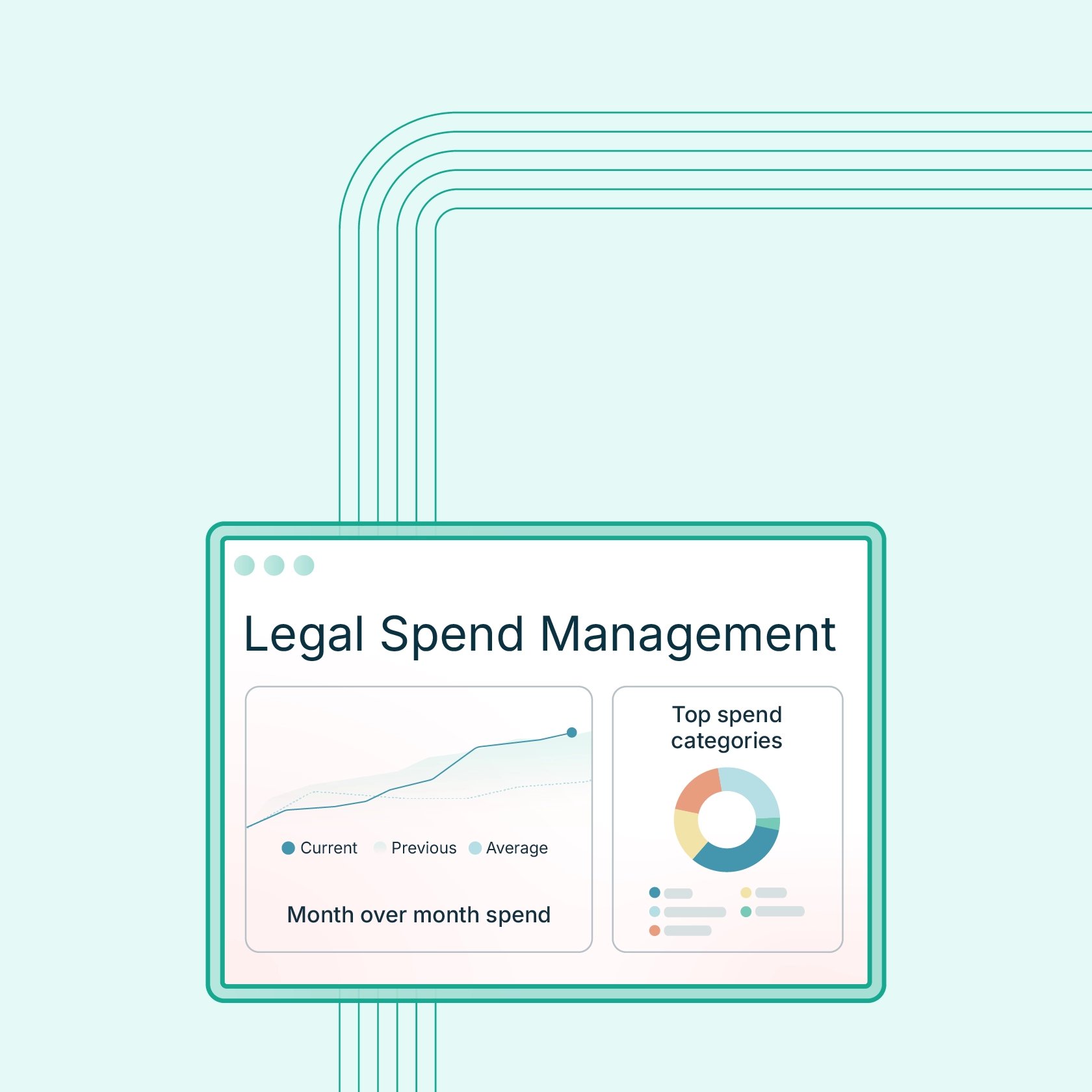
Legal spend management is a framework for controlling, tracking, and analyzing firm spending. Legal spend management software automates and supports this framework with real-time data and controls. Better visibility into spending helps firms protect profitability and plan with confidence. Spend management strengthens financial stability by reducing waste, capturing billable expenses, and enhancing forecasting accuracy—all key aspects of building economic resilience for your law firm. Law firms that invest in spend analytics are better equipped to handle margin pressure and client volatility.

Jan 26, 2026 | Rob Heidrick
With all the time you spend managing cases, doing research, and overseeing day-to-day tasks, you might not have the bandwidth to monitor your performance metrics as closely as you’d like. And that’s understandable—most lawyers would prefer to focus on client work rather than statistical modeling. Still, without consistent benchmarks to measure progress and growth, you’ll miss opportunities to streamline operations, increase revenue, and improve efficiency. Success can feel elusive without a clear strategy, and competing firms are no longer relying on intuition alone. That’s where key performance indicators (KPIs) come into play. When used strategically, legal KPIs provide the direction and data-driven insights you need to achieve your goals and make smarter business decisions. In this article, we’ll walk through the essential KPIs your firm should track, how they vary by firm type, and how modern practice management platforms can make progress easier to measure without pulling your attention away from client work. Why is it important to track law firm KPIs? Tracking the right metrics gives you a clear view of your firm’s financial position and operational stability. KPIs translate day-to-day activity into measurable signals, making it easier to assess what’s working, what isn’t, and where adjustments are needed as the firm evolves. Without that visibility, strategies are harder to evaluate, and small problems can go unnoticed until they start affecting revenue or client service. Put simply, KPIs help firms stay focused on priorities that support steady progress. They surface risks early, highlight performance gaps, and provide a factual basis for decisions that would otherwise rely on guesswork. Let's look at three key reasons for tracking KPIs at your firm. 1. Monitor performance KPIs make it easier to see how close the firm is to achieving specific goals, whether that’s improving cash flow, increasing case volume, or reducing delays in billing. Examining the same metrics over time also reveals patterns that can be overlooked in day-to-day work, allowing firms to refine priorities and adjust plans proactively. 2. Maintain accountability Clear metrics create shared expectations across the firm. When goals are tied to measurable targets and reviewed regularly, it becomes easier to track follow-through and address gaps early. That structure encourages ownership at every level and supports steady, incremental improvement rather than reactive course corrections. 3. Eliminate guesswork Decisions grounded in data are typically more reliable than those based on assumptions or incomplete information. KPIs provide a straightforward way to evaluate performance using consistent criteria. They also pinpoint areas that need attention, which helps teams focus their time on changes that will have the greatest impact. Beyond high-level performance tracking, a KPI for law firms can also shed light on the effectiveness of operational, financial, and payment workflows. That visibility reduces uncertainty and brings underlying trends to the surface, making it easier to spot inefficiencies, address weak points, and build processes that support long-term stability. How to choose which KPIs to measure Modern firms generate an enormous amount of data, but trying to quantify everything is impractical and will likely lead to lawyer frustration and burnout. Narrowing your focus to a defined set of law KPIs is far more effective and far easier to sustain over time. To identify which metrics are worth monitoring, start with these steps: Define your objectives. Outline what you want the firm to accomplish in both the near and long term. Setting realistic, well-defined SMART goals (those that are specific, measurable, achievable, relevant, and time-bound) helps clarify which outcomes matter most and what data will be useful in measuring progress. Review current performance. Take stock of how the firm is operating today. Look for areas where results fall short of expectations, as well as parts of the business that appear poised for growth. These pressure points often signal which KPI for law firms will be most valuable to track. Assess available data. There’s a good chance you have access to helpful data through systems your firm is already using. Most social media platforms and website hosts offer basic analytics dashboards, and payment and billing solutions such as LawPay can provide visibility into financial activity, productivity, and client behavior. If certain KPIs require data and legal analytics you’re not yet collecting, decide whether it makes sense to start gathering that information. Use both financial and non-financial KPIs. Monitoring your law firm’s profitability and revenue is essential for understanding financial stability, but it only tells part of the story. Non-financial KPIs tied to client satisfaction, retention, and staffing trends also provide valuable insights. Together, these metrics offer a more complete view of firm performance. Keep it simple. A smaller, well-chosen set of law firm KPIs is easier to review regularly and act upon decisively compared to unwieldy reports packed with low-value data. The essential legal KPI metrics to monitor While each law firm should consider its individual needs and objectives when selecting KPIs to track, there are six types of metrics that play a crucial role in developing successful strategies for law firm management and performance evaluation. Client and matter development KPIs Client and matter development metrics show whether the firm is building sustainable demand for its services. They help teams evaluate how effectively new business is being generated and whether existing client relationships are continuing to grow. The following KPIs can offer early signals about future workload and revenue stability: New client acquisition rate: Shows how many new clients a firm signs within a given period, helping gauge the effectiveness of marketing and referral efforts. Client growth rate: Captures the percentage change in total active clients over time to indicate whether the firm’s client base is expanding or contracting. Average number of cases: Provides insight into workload distribution and overall capacity across attorneys and practice areas. Average fee per client: Dividing total revenue by the number of clients reveals the typical financial value of each client relationship. Number of lawyers per client: Indicates how many attorneys are typically involved in serving a single client, which can reveal whether resources are being allocated efficiently or stretched too thin. Number of matters per client: Repeated engagements signal stronger client relationships and greater potential for cross-practice work. These KPIs help firms spot early trends in client demand and matter distribution, improving resource planning and forecasting. Client satisfaction KPIs Client experience plays a direct role in how firms grow and how they are perceived in the market. Paying attention to how clients feel about communication, outcomes, and overall service helps firms strengthen relationships and avoid issues that can quietly damage trust over time. The following metrics offer practical ways to monitor satisfaction and protect your firm’s reputation. Client retention rate: Measures the percentage of clients who return for additional matters, signaling long-term satisfaction and loyalty. Client satisfaction ratings (surveys or reports): Summarize direct feedback from clients to highlight strengths and uncover areas that need improvement. Star ratings: Reflect public review scores on platforms such as Google or Avvo, which influence credibility and new client acquisition. Qualitative data (long-form client reviews): Provides detailed feedback that reveals specific service issues, communication gaps, or positive experiences. Number of client referrals: Tracks how often existing clients recommend the firm to others, serving as a practical indicator of trust. Net Promoter Score (NPS): Quantifies how likely clients are to recommend the firm on a scale of 1-10. Tracking this type of law firm KPI can help build trust, strengthen relationships, and turn satisfied clients into referral sources. Marketing KPIs Marketing activity shapes how potential clients discover your firm and decide whether to reach out. Because client acquisition requires both time and budget, it’s important to understand which channels are delivering meaningful results and which ones need refinement. These metrics help firms evaluate visibility, lead quality, and return on marketing spend. Here are some law firm metrics to track for marketing: Number of website visitors per month: Indicates how many people are reaching the firm’s site monthly—a baseline measure of online visibility and lead gen potential. Landing page conversion rates: Shows the percentage of visitors who complete a desired action, such as submitting a contact form, which reflects how effectively pages turn interest into inquiries. Email marketing performance: Tracks engagement through metrics like open rates and click-through rates to reveal how audiences respond to firm communications. Client acquisition cost (CAC): Calculates the average amount spent to gain one new client, helping assess whether marketing efforts are financially sustainable. Referral traffic: Measures how many visitors arrive from external sources such as directories, partner sites, or social platforms, highlighting the strength of off-site visibility. Lifetime customer value (LCV): Estimates the total revenue a typical client generates over their full relationship with the firm, which can help guide marketing and retention decisions. Social media engagement: Captures activity such as likes, shares, comments, and follows to indicate audience interest and brand awareness. Marketing ROI: Measures how much revenue is generated for each dollar spent on marketing; calculated by dividing campaign revenue by campaign cost. Monitoring this legal KPI category helps firms understand which channels actually drive profitable new matters and where intake bottlenecks may be causing lost opportunities. Financial KPIs Financial metrics help assess whether a practice is operating on a stable footing and where adjustments may be needed. Regularly reviewing financial KPIs helps firms spot cash flow issues early, evaluate profitability, and make informed decisions about spending, pricing, and growth. Keep these KPIs in mind to ensure your business meets its financial goals: Monthly law firm revenue: The total income generated by the firm each month, serving as the baseline measure of financial performance. Total firm debt: The combined value of all outstanding liabilities, including loans, credit lines, and unpaid obligations, which helps clarify financial risk and leverage. Collection rate: Compares the total amount billed to the amount actually collected to show how effectively the firm converts completed work into income. Length of accounts receivable (A/R aging): The average time it takes to receive payment after an invoice is issued, with longer periods signaling increased cash flow risk. Current estimate of operating costs: Ongoing expenses such as payroll, taxes, office overhead, software, and other recurring obligations required to run the firm. Current estimate of annual revenue: A projection of total revenue for the year based on recent performance, commonly used for budgeting and financial planning. Net income as a percentage of revenue: The portion of revenue that remains after all expenses are paid, indicating the firm’s overall profit margin. Net overhead: The percentage of revenue consumed by operating expenses, with lower overhead leaving more income available for reinvestment or distribution. Preferred client payment method: Records how clients typically pay, such as by card, ACH, or check, which can inform payment options and reduce friction in collections. Matter type profitability: Compares revenue and costs by practice area to identify which types of work contribute most to profitability and which may strain resources. Measured with financial reporting tools, these legal KPIs give firms visibility into cash flow health, profitability drivers, and financial risk areas that need attention. Individual performance KPIs Understanding how time and effort are distributed across the firm can be difficult when everyone is focused on meeting client deadlines. Still, productivity metrics play a direct role in revenue consistency, staffing decisions, and long-term sustainability. A performance framework built on clear, measurable data helps firms manage workloads more effectively and avoid hidden inefficiencies. Here are some productivity KPIs to keep track of: Billable hours: Records the amount of time attorneys and staff spend on client work that can be invoiced, forming the primary revenue base for most firms. Non-billable hours: Time spent on administrative tasks, internal projects, training, or business development that cannot be billed to clients and should be monitored to prevent productivity drain. Average bill rate: The average hourly amount charged across all matters, which helps assess pricing strategy and the mix of work the firm is taking on. Case progression: Tracks how quickly matters move through major stages, making it easier to identify delays and estimate future timelines. Case access: Measures how frequently and how quickly team members open case files, offering insight into engagement levels and workload distribution. Expense tracking: Follows individual costs submitted for reimbursement or client billing to support accurate records and compliance. Utilization rate: The percentage of total working hours spent on billable tasks, showing how much time is dedicated to revenue-generating work. Realization rate: The share of billable time that is ultimately invoiced and collected after write-offs, discounts, or unpaid balances. Number of unbilled days: The average gap between completing work and issuing an invoice, with longer delays putting pressure on cash flow. Number of uncollected days: The average time between sending an invoice and receiving payment, which reflects how efficient the firm’s collection process is. Case cycle time: Measures how long a matter takes to move from opening to resolution, with shorter cycles supporting higher capacity and steadier revenue when quality is maintained. Employee turnover: Calculates the percentage of staff who leave over a given period, with elevated rates often pointing to workload strain, morale issues, or management gaps. These KPIs for law firms help identify high performers, spot inefficiencies, and ensure time and talent are being used productively. Lead analysis KPIs Bringing in new clients is crucial to firm growth, but identifying which efforts actually drive signed matters can be challenging. Lead analysis metrics connect marketing activity to real outcomes by showing where prospects come from and how they move through intake. That visibility helps firms invest in channels that perform well and fix gaps that slow conversion. Use the following metrics to learn how prospective clients find your firm: Client acquisition cost (CAC): Calculates the total expense required to convert a lead into a signed client, including marketing, intake, and sales costs, with lower figures indicating more efficient growth. Total number of new clients: Counts how many clients sign with the firm during a given period and serves as a baseline indicator of business development momentum. Number of new clients by source: Group new clients by origin, such as referrals, website traffic, or review platforms, to show which channels consistently deliver results. Estimated average value of each new case: Projects the expected revenue from a typical new matter to help prioritize lead sources that tend to produce higher-value work. Number of consultation appointments set (or total consultation fees collected): Tracks how many inquiries turn into scheduled meetings or paid consultations, reflecting how effectively the intake process captures interest. Number of new cases or matters opened: Tallies how many new matters begin within a set timeframe to indicate whether client intake aligns with growth targets. Rate of prospective clients who show up for consultations: Measures the share of scheduled consultations that actually take place, with lower rates pointing to friction or weak follow-up during intake. Conversion rate of leads to clients: Compares total leads to signed clients to reveal how well the firm turns initial inquiries into active matters. Clear intake metrics make it easier for firms to see where leads fall off, refine their funnel, and double down on what’s converting. How KPIs differ by firm type No single set of KPIs is equally helpful to every practice. The metrics that matter most depend on how a firm bills, the type of work it handles, and how revenue is generated over time. For example, corporate advisory firms often concentrate on financial metrics, while personal injury firms may place more weight on tracking client success and satisfaction as they look to build their brand and reputation. Focusing on metrics that reflect how your firm actually operates will yield more relevant, valuable insights that you can apply on a daily basis. Litigation firms Litigation work often involves long timelines, unpredictable workloads, and complex billing arrangements. Revenue may lag months behind the work itself, and client expectations can be high during stressful disputes. Important KPIs for law firms of this type include: Case cycle time: Shorter timelines allow firms to resolve matters sooner, recognize revenue earlier, and take on additional cases without compromising quality. Realization and collection rates: Tracking how much billed work is ultimately invoiced and paid helps firms manage write-offs, disputes, and cash flow gaps common in complex matters. Utilization rate: Monitoring billable time ensures research, preparation, and court work are balanced against administrative demands that can quietly erode revenue capacity. Client satisfaction: Strong satisfaction metrics help firms maintain trust and retention when outcomes are uncertain and cases are emotionally demanding. Transactional firms Transactional practices often operate on tighter timelines and predictable workflows, with many matters billed at flat or capped fees. Growth usually depends on volume, efficiency, and repeat business rather than long case cycles. These firms may focus on KPIs such as: Average fee per matter: Keeping a close eye on typical matter value helps confirm that pricing remains profitable as costs and workloads change. New matters opened: A steady flow of new work signals healthy demand and supports reliable revenue planning. Cycle time: Faster deal completion frees up capacity and allows teams to handle more matters without adding headcount. Client retention rate: Repeat engagements reflect satisfaction and reduce reliance on constant new-client acquisition. Contingency firms (including personal injury practices) Contingency-based firms face unique financial pressure because payment depends on case resolution. Marketing often represents a major expense, and intake volume can be high relative to the number of cases that move forward. Here are some KPIs for these practices to prioritize: Case cycle time: Shorter resolution periods improve cash flow predictability and reduce the strain of carrying case costs for long stretches. Average case value: Understanding which matters generate stronger returns helps firms prioritize resources and refine case selection criteria. Marketing KPIs and client acquisition cost: Measuring how much is spent to sign each client keeps advertising budgets aligned with realistic revenue potential. Lead-to-client conversion rate: Higher conversion efficiency determines how effectively large volumes of inquiries translate into viable cases. Tools that help law firms monitor KPIs Manually tracking KPIs can be slow and prone to errors, especially when data lives across multiple systems. Purpose-built software simplifies the process by collecting information automatically and presenting it in dashboards that are easy to review and update. The result is a more reliable way to monitor performance without adding administrative burden. Popular types of tools for tracking KPIs include: Practice management systems: Platforms such as 8am MyCase and 8am CasePeer centralize reporting on case activity, productivity metrics, staff performance data, and matter-level details, giving firms a clearer picture of how work moves through the practice. Payments and A/R reporting tools: Solutions like LawPay help firms track payment timing, accounts receivable aging, collection rates, and client payment preferences, which are key inputs for financial KPIs. Intake and CRM platforms: These tools focus on lead volume, conversion rates, client acquisition trends, and source attribution to show how new business enters the firm. Business intelligence dashboards and analytics tools: Reporting platforms visualize KPIs over time, surface patterns, and support custom reports that leadership teams can use for planning and performance reviews. Some practice management systems also include extensive built-in reporting libraries, with dozens of preconfigured reports covering areas such as case timelines, lead sources, settlements, and staff productivity. Many firms use a law firm KPI dashboard built into software that they use to manage daily operations. Look for tools that mesh well with your existing workflows and reduce the need for manual data entry. Visibility creates stronger firms By tracking KPIs, attorneys gain a clearer view of how work, revenue, and resources flow through their firms. They can spot risks early, evaluate tradeoffs, and make adjustments based on evidence rather than instinct. Firms that consistently review their performance metrics tend to plan with more confidence, allocate resources more effectively, and avoid hidden problems that can disrupt cash flow and client service. If you’re ready to get started, focus on a few of the KPIs from this guide that reflect your firm’s goals and operating model, and make a habit of reviewing them regularly. Start small and use your observations to guide meaningful changes in how your business runs. Learn more about how the 8am family of legal solutions can help your firm track, understand, and act on the metrics that matter.

Jan 22, 2026 | Josh Carter
At 8am™, we believe artificial intelligence should make legal professionals more effective, not replace their judgment. As we develop AI capabilities for the legal industry, we're guided by a clear set of principles that prioritize your security, uphold your professional responsibilities, and enhance your practice without compromising the trust your clients place in you. We hope these principles help as you evaluate AI tools. Security and privacy come first Your clients' information is sacred. We've built our AI with the most rigorous security standards in the legal industry because we understand that protecting attorney-client privilege isn't just a feature; it's the foundation of justice itself. 8am technologies boast a litany of top-tier security and compliance certifications, such as SOC2 Type II and PIC Level 1. As such, every AI capability we develop is designed to maintain the confidentiality and integrity of your data, with stringent protections that respect privacy rights without compromise. You can read more about 8am IQ AI security standards here. AI as your assistant, not your replacement We designed 8am IQ with a fundamental principle: AI doesn't hit send. Instead, our technology provides recommendations and insights that you review, edit, and approve before taking action. You remain in control of every decision that carries professional, ethical, or client impact. Our AI streamlines routine work and surfaces insights, but your judgment, discretion, and accountability stay exactly where they belong: with you. This "done for review" approach ensures there's always an opportunity for you to be in the loop, supporting your ethical obligations while giving you back time to focus on what matters most. Empowering your practice Our AI exists for one purpose: to make you more effective. Every feature we build is designed to enhance your decision-making, reduce administrative burden, and help you deliver better legal services to your clients. We measure our success by whether our technology enables you to take on more clients, resolve cases more effectively, and run an efficient practice. Fair, transparent, and explainable You deserve to understand how AI reaches its conclusions. We're committed to building technology that's transparent in its processes and explainable in its outputs. Our AI is designed to be impartial and equitable, bridging divides rather than creating them, and ensuring fair treatment for all users. We use proprietary evaluation metrics to monitor accuracy and detect potential errors, and we employ pre-configured prompts customized for specific legal tasks. Even with these safeguards, we recommend you carefully review all AI-generated output before relying on it. Expanding access to justice Great technology shouldn't just help those who already have resources; it should expand access for everyone. We're committed to building AI that removes friction, reduces complexity, and increases the availability of legal support for individuals and communities who have historically faced barriers to legal services. Built to evolve Legal practice, technology, and societal expectations change over time. Our commitment to ethical AI isn't static; it's ongoing. We continuously evaluate, refine, and improve our AI systems to ensure they remain accurate, responsible, and aligned with your needs and the needs of your clients. How we protect your data: Meeting industry standards When evaluating AI tools, attorneys need to understand how vendors handle sensitive client information, a core concern of legal AI privacy. Here's how 8am IQ addresses key security requirements: No model training on your data Your confidential case information will never be used to train third-party AI models. Based on our agreement with OpenAI, customer data is not used to train their models. We may use inputs and outputs to improve 8am IQ features in accordance with our Privacy Policy, but always within the same strict security standards that protect all your data. Comprehensive data protection We encrypt your data both in transit (using TLS 1.2 or greater) and at rest (using AES-256 encryption). Our AI partner, OpenAI, is SOC2 compliant and maintains enterprise-grade security standards. Your data is never exposed to other customers, and OpenAI may only retain data for up to 30 days for abuse detection before permanent deletion. You control what gets processed Your data is never sent to our AI system unless you explicitly click the 8am IQ button for each task. You decide what information to process, giving you complete control over sensitive client data. The system also respects all existing user permissions, so team members can only use 8am IQ on data they already have access to within your practice management system. What you can expect from 8am IQ At 8am, we view these principles not as constraints, but as drivers of innovation and trust. We're building AI that respects your professional judgment, protects your clients' confidentiality, and strengthens your ability to practice law ethically and effectively. Because at the end of the day, the best AI doesn't replace lawyers. It makes great lawyers even better. Ready to move beyond the hype? Discover how to implement these tools safely and profitably in your practice. Visit our Practical AI for Law Firms Hub to explore real-world workflows, download our Generative AI Legal Guide, and learn how 8am is building the future of legal tech Want to learn more about how 8am IQ can enhance your practice? Explore our AI capabilities or schedule a demo to see it in action.

Jan 22, 2026 | James Pittman
Discover the strategies helping law firms navigate changing market conditions with greater clarity, control, and confidence.

Jan 16, 2026 | M.E. Hammond
Accounting firm profitability depends on four core drivers: pricing strategy, service mix, staffing leverage, and operational efficiency. Margins may decline due to underpriced services, delayed payments, and manual administrative work. Tracking key performance metrics like utilization rate, realization rate, and average revenue per client helps firms identify profit leaks. Digital billing and payment systems can improve cash flow by reducing administrative work and accelerating collections.

Jan 14, 2026 | M.E. Hammond
eSignatures are legally binding under U.S. law. The ESIGN Act (2000) and UETA grant electronic signatures the same legal status as handwritten signatures when intent, consent, association, and record retention requirements are met. Law firms use eSignatures for engagement letters, retainer agreements, intake forms, settlement agreements, and NDAs. These documents can typically be signed electronically, though court filings and declarations vary by jurisdiction. Accounting firms use eSignatures for engagement letters, W-9s, Form 8879 (IRS e-file authorization), and financial statement approvals. The IRS permits electronic signatures on Form 8879 with identity verification and record retention requirements. Some documents still require wet signatures. Wills, certain family law documents, some court filings, and documents governed by UCC Articles 3, 4, and 9 are commonly excluded from ESIGN/UETA.

Jan 12, 2026 | Rob Heidrick
Build a clear strategy first. Don't just post randomly; define your specific goals and audience before you begin to avoid wasting time. Pick the right platforms for your clients. Focus your energy where your audience hangs out, such as using LinkedIn for business clients or Facebook for personal injury cases. Stick to a consistent schedule. Use a simple content calendar to plan ahead, aiming for about one to three posts per week to stay visible. Follow ethical rules strictly. Protect your license by never promising specific results (like "we will win") and always keeping client information private.

Dec 19, 2025 | Catherine Brock
Effective demand letters build a strong narrative around essential case facts. Tone is paramount in demand letters; it can weaken or strengthen your negotiating positions. Demand letters require extensive documentation of facts; a functional document management system is necessary. Case size and type can influence your demand letter strategy.

Dec 18, 2025 | M.E. Hammond
Business expense management is a crucial part of financial clarity for professional service firms, including legal, accounting, and consulting practices. At its simplest, it’s the process of tracking, approving, documenting, and reimbursing expenses in line with firm policies. However, for firms that manage client matters, maintain trust-based relationships, and navigate fluctuating demand, expense management carries additional weight. Irregular revenue cycles, seasonal spikes, and delayed client payments make visibility essential. Professional firms also face stringent documentation and compliance requirements, which means unclear processes can lead to billing disputes, misallocations, or reputational risk. In today’s economic environment—defined by rising operational costs and shifting client expectations—firms need dependable systems that support financial control and resilience. When leaders can see what’s happening in real time, they’re better prepared to move forward with readiness, visibility, and confidence. What is business expense management? For professional firms, business expense management refers to the everyday process of tracking expenses, categorizing them properly, approving them through firm policies, and reimbursing employees accurately. It’s closely connected to related tasks such as expense tracking, defining an expense policy, aligning approvals, managing reimbursements, and ensuring consistent expense workflows across the firm. While it sits alongside the concept of business spend management, the two operate at different levels. Business expense management (BEM) focuses on the operational side—day-to-day receipts, policies, approvals, and documentation. Business spend management (BSM) centers on the broader financial picture, including forecasting, budgeting, and firm-wide visibility. Law firms, accounting firms, and similar professional services have unique needs: Client-billable expenses must be allocated with precision Compliance and documentation standards are higher Ethical billing and audit readiness matter deeply This makes disciplined expense habits essential. Why expense management matters for professional firms Accurate, well-documented expenses have a direct impact on billing, profitability, and client trust. Poor systems create risks that general businesses rarely face, such as compliance challenges, ethical concerns, and disputes that can damage long-term relationships. Protecting billing accuracy and cost recovery Billing accuracy and cost recovery depend on clean, transparent documentation. Client-billable expenses—such as court fees, expert witnesses, research tools, or travel—must be tracked clearly to avoid underrecovery or overbilling. Inaccurate tracking can result in lost revenue or conflict with clients who expect detailed explanations attached to every cost. To reduce the risk of disputes, firms should follow strong documentation practices and, when collecting payments, use safeguards like 8am™ LawPay’s best practices on protecting yourself from chargebacks. Improving cash flow visibility during uncertainty Economic uncertainty makes real-time insight critical. Stable financial operations depend on quick access to accurate numbers, especially when client payments lag or seasonal surges add short-term pressure. Reliable expense tracking supports: Better forecasting and decision-making More predictable expense cycles during tax season or litigation spikes Faster reimbursement processes that smooth internal cash flow A clearer picture of what the firm has spent versus what it expects to collect With accurate data, firms can adjust spending, hiring, or budgeting before issues escalate. Reducing leakage and preventing fraud Strong processes help firms reduce leakage, preventing unnecessary, duplicate, or fraudulent expenses before they occur. Automation supports this by: Matching receipts to transactions to detect duplicates Standardizing expense categories to reduce miscoding Enabling real-time submissions for greater transparency Creating approval workflows that detect outliers early And according to the Association of Certified Fraud Examiners (ACFE), more than half of occupational frauds occur due to a lack of internal controls or an override of existing internal controls. Strong financial oversight and structured workflows help firms mitigate that risk. Step-by-step expense management workflow Firms benefit from a straightforward, repeatable workflow that reduces errors, speeds reimbursements, and supports accurate billing. Here’s how a typical expense management lifecycle unfolds: Step 1: Capture and submit expenses Digital tools make it easier to capture receipts through mobile apps or automatic upload. Employees can select the correct category at submission, supporting compliance with IRS substantiation rules. Strong documentation at this stage speeds approvals and reduces rework later. Step 2: Review and approve Most firms use a mix of automated and manual reviews. Automated approvals handle low-risk, policy-aligned expenses, while exceptions, high-dollar items, or unusual submissions are subject to manual review. This is where expense approval workflows matter most, ensuring compliance and catching inconsistencies early. Partners or practice leads may also review client-billable items for accuracy. Step 3: Reimburse or allocate to client/project Once approved, expenses are either reimbursed to employees or allocated to client matters or projects. This step is crucial for maintaining transparency and ensuring recoverable costs are captured accurately during billing. Clear allocation practices help prevent disputes and ensure each matter reflects its actual financial footprint. Step 4: Reconcile and report Reconciliation involves matching submitted expenses to bank or card statements and resolving any discrepancies. This stage also produces audit-ready reporting that confirms documentation is complete and policies have been followed. Regular reconciliation protects billing accuracy and helps prevent leakage by catching issues early. Step 5: Analyze for trends and improvements Periodic analysis provides firms with insight into spending patterns, recurring issues, and opportunities to consolidate vendors or negotiate more favorable pricing. These reviews help refine future budgets and highlight areas where policies may need adjustment. In uncertain environments, firms that consistently review spending make more informed, confident, and proactive financial decisions. Expense management best practices for professional firms These habits help law firms, accounting firms, and other professional services stay accurate, compliant, and financially stable. Create clear, written expense policies A strong expense policy outlines what employees can spend, when exceptions apply, and what documentation is required. Policies should specify travel rules, per diem allowances, meal limits, and client-billable versus non-billable thresholds. Written policies reduce confusion and should be easily accessible to all staff. Standardize categories for consistency Standardizing expense categories creates consistency across the firm, reduces billing errors, and strengthens the accuracy of financial reporting. Clear, predefined categories help employees code expenses correctly from the start, supporting better insight into spending patterns and simplifying downstream reconciliation. Professional firms often rely on more specialized categories than general businesses, reflecting the nature of their client work and the regulatory requirements associated with it. For law firms, common categories include: Court fees Expert witnesses Legal research tools Travel to hearings For accounting firms, examples may include: Client-site travel Certification exams Software subscriptions CPE credits By using standardized categories across all teams, firms improve forecasting, maintain cleaner audits, and ensure client-related expenses are allocated accurately and transparently. Establish clear approval workflows Clear, consistent expense approval workflows ensure every submission is reviewed appropriately and aligns with firm policies. Most professional firms use a structured sequence—Employee → Manager → Finance → Partner—for high-dollar or client-billable items to ensure the right level of oversight at each stage. These workflows reduce bottlenecks by clarifying who approves what, while creating accountability without unnecessary friction to the process. Firms with well-defined approval steps catch policy violations earlier, maintain stronger financial control, and ensure expenses are allocated accurately and ethically. Utilize automation Automation reduces manual work by providing real-time expense visibility, automatic receipt capture, policy-based approvals, and reminders for overdue submissions. These capabilities keep the process moving smoothly and reduce human error. Conduct quarterly expense reviews As part of strong expense management best practices, quarterly reviews help firms identify overspending, ensure compliance, and catch vendor cost creep early. Routine analysis supports cost-control strategies and resilience by exposing inefficiencies before they escalate. Compliance, ethics, and audit-ready expense management Professional firms operate under stricter compliance standards than most businesses. Ethical billing, accurate documentation, and audit-ready systems protect the firm financially and legally. This requires consistent recordkeeping, transparent client communications, and strong internal controls. Good documentation habits also reduce disputes and support smooth audits, especially when firms must justify reimbursements or client-billable charges. Key compliance considerations: Documentation and retention: Follow IRS substantiation rules for receipts and records Ethical billing and transparency: See guidance on how to modernize your legal billing process Audit readiness: Maintain audit-ready documentation across all categories Tools and systems that support expense visibility Technology plays an essential role in giving professional firms real-time visibility into their expenses. Modern tools reduce manual work, improve accuracy, and create a single source of truth for financial data. When firms integrate these systems into their daily workflows, they gain clearer insights, faster approvals, and stronger control over both client-billable and internal costs. Within this landscape, the 8am ecosystem provides firms with connected financial tools that work together to support stability and long-term readiness. With integrated payments, spend controls, and reporting capabilities, firms can see their financial picture more clearly, respond quickly to shifting demands, and maintain the consistency that underpins reliable forecasting. This cohesion helps leaders plan with confidence and make informed decisions rooted in accurate, real-time data. Key categories of tools that enhance expense visibility include: Receipt automation tools: Digital receipt capture, automatic category suggestions, and mobile upload features ensure every expense is documented at the moment it occurs. Analytics dashboards: Real-time visibility into spending trends, categories, and budget variances helps firms identify issues early and support forecasting accuracy. Mobile expense apps: Enable on-the-go submissions and approvals, reducing delays and keeping expense cycles moving even when teams are remote or traveling. Payment systems: Manage reimbursements, client-billable payments, and trust-account-safe workflows while maintaining compliance and transparency. Accounting integrations: Sync expenses to the firm’s general ledger or matter management system to maintain accuracy, reduce reconciliation work, and support cleaner reporting. Expense management vs. spend management: What’s the difference? Although these terms are often used interchangeably, they support different layers of a firm’s financial strategy. Understanding how they diverge—especially in the context of spend controls versus expense controls—helps firms connect their daily financial processes to broader goals, such as financial resilience, long-term planning, and organizational readiness. Expense management (Micro level) Expense management focuses on the transaction-level actions that drive everyday financial accuracy and compliance. This includes: Capturing receipts Categorizing expenses Applying firm policies Managing reimbursements Supporting billing accuracy for recoverable costs These steps ensure expenses are documented correctly, allocated to the right matters, and compliant with internal standards. Together, they strengthen audit readiness and build trust through accurate client billing. Spend management (Macro level) Spend management, by contrast, sits at the strategic layer of financial operations. It governs how the firm plans, analyzes, and oversees all spending categories across the organization. Core activities include: Budget allocation Forecasting Scenario planning Firm-level visibility into all spending categories Together, these practices enable leaders to identify trends, anticipate financial risks, and develop a more resilient long-term strategy. To explore this broader discipline in more detail, see our article on business spend management. Building financial resilience through effective expense management Strong expense habits do more than keep day-to-day operations organized—they create the foundation for long-term economic resilience. When firms consistently document, categorize, and review expenses, they gain clearer visibility into financial patterns and can make decisions with greater confidence. This steadiness becomes especially valuable in industries where revenue timing fluctuates or client payments arrive unpredictably. Effective expense management supports resilience in several ways: Clear expenses create accurate financial insight, giving leaders a real-time understanding of where money is going and why. Predictability stabilizes cash flow, helping firms manage obligations even when revenue is uneven. Visibility enables stronger forecasting, allowing teams to anticipate needs, allocate resources, and prepare for seasonal or economic shifts. Readiness comes from informed decision-making, empowering firms to act strategically rather than reactively. During uncertain market periods, firms with disciplined processes can pivot more smoothly—pausing nonessential spend, reallocating budgets to priority areas, and reinforcing critical investments without creating internal disruption. Clarity today, confidence tomorrow Strong business expense management relies on clear policies, simple workflows, and real-time visibility. These habits strengthen accuracy, compliance, and long-term financial stability. A great starting point is auditing your expense categories, updating policies, or digitizing receipt collection. To learn more about how 8am supports financial clarity and resilience, connect with us.

Dec 15, 2025 | M.E. Hammond
Professional service firms are navigating a climate where markets shift quickly, client budgets fluctuate, and operational costs continue to rise. Let’s break down why spend management matters, how it works, and what leaders can do today to build a resilient financial future.

Dec 8, 2025 | M.E. Hammond
Dec 5, 2025 | Nancy Myrland
We’re delighted to welcome Nancy Myrland, President of Myrland Marketing & Social Media, as the author of this guest post. As a leading Marketing and Business Development Advisor to law firms—and a 2023 LMA Hall of Fame inductee and LinkedIn Top Voice—Nancy is a frequent writer, speaker, trainer, and podcast host. She’s the creator of the Gain The AI Edge™ brand and Linked Course for Lawyers, bringing many years of experience and a generous spirit for helping legal professionals grow. In this piece, she shares thoughtful guidance on staying visible, steady, and connected as firms focus on economic resilience.

Dec 2, 2025 | James Pittman
The LCA is a foundational filing in the H-1B process. Accuracy in wage data, worksite details, and job classification is critical, as inconsistencies can lead to delays or increased scrutiny later in the petition lifecycle. LCA processing times are predictable, but not immune to disruption. While most LCAs are certified within about seven business days, system outages, filing errors, and peak H-1B seasons make proactive planning and buffer time essential. Centralized tracking and e-filing reduce risk and administrative burden. Using immigration case tracking and e-filing tools helps attorneys monitor LCA status, maintain compliance, and keep cases moving without relying on manual status checks.

Nov 20, 2025 | James Pittman
Opposition in immigration law highlights the need to focus your practice, align with your strengths, and serve clients with precision. Combat overwhelm with workflows, boundaries, and a culture of wellness that protects both your practice and your well-being. Policy shifts and AI disruption aren’t going away; thriving means filtering the noise, staying flexible, and using technology ethically to future-proof your work.

Nov 19, 2025 | James Pittman
The One Big Beautiful Bill Act (OBBBA) is reshaping the business of law by altering tax structures, labor policies, and regulatory frameworks—pushing firms to adapt both financially and operationally. Firms that embrace strategic financial planning will be better positioned to navigate economic complexity and manage short-term uncertainty while deepening trust with clients and teams. Agility is the new advantage: by diversifying practice areas, investing in technology, and maintaining a people-first culture, firms can turn legislative change and economic pressure into opportunities for long-term growth.

Nov 12, 2025 | Anna Rappaport, Esq
This article is authored by Anna Rappaport, Esq., founder and principal of Excelleration Coaching. A former practicing attorney with over 25 years of experience, Anna specializes in helping lawyers and legal teams strengthen leadership, communication, and collaboration skills. In this piece, she shares actionable steps for maintaining firm cohesion and morale amid financial or organizational uncertainty.
Nov 10, 2025 | Allison C. Johs, Esq.
LinkedIn now rewards relevance over recency, so consistent, value-driven posts and meaningful engagement are key to visibility. Authentic interaction—especially thoughtful commenting—builds stronger relationships and authority than self-promotion alone. Using varied, mobile-friendly content formats and tracking analytics helps you reach a wider audience and refine what resonates most.

Oct 23, 2025 | 8am Comms Team
In our digital-forward world, professional firms manage dozens of systems—billing, case management, compliance, client portals—and lose precious time switching between them. The fragmentation makes simple workflows feel like obstacle courses. That’s where 8am™ comes in. So, what is 8am? It’s a professional business platform that consolidates the tools firms need—payments, case management, compliance, and client communication—into one connected ecosystem. As Dru Armstrong, CEO of 8am, explains, “8am brings together everything we’ve created into a unified, trusted platform designed to deliver even more value to professionals.” At its core, 8am brings clarity, structure, and purpose to the chaos of running a business—anchored in the idea that 8am is a time of focus, order, and momentum. It provides essential tools in one unified platform, helping professionals work smarter and with fewer distractions. Learn more about the 8am company mission and how we’re redefining what professional work looks like. Why 8am exists: Solving the “too many systems” problem Professionals in legal, accounting, and association-based work face a familiar frustration: too many disconnected systems, none of them built to work together. Between billing software, document storage, case tracking tools, and compliance checklists, it’s easy to lose hours each week just switching between apps. Repetitive data entry, broken workflows, and limited visibility across tools drain time and energy—and ultimately distract from what matters most: serving clients. 8am was created to solve this problem. It began as a family of trusted solutions—LawPay, MyCase, DocketWise, CasePeer, CPACharge, and more—each serving a vital but separate need. Rather than remain siloed, these solutions were brought together under the name 8am and one unified software ecosystem, allowing professionals to work more efficiently and with greater clarity. The vision was always about bringing essential tools together to support professionals more completely. The belief that integrated systems can empower better work guides leaders like 8am CPO Leslie Witt, who has emphasized building technology that puts user experience and client impact at the center. That vision began to take shape through AffiniPay, the company that would ultimately evolve into 8am. From AffiniPay to 8am: The story behind the brand The transformation from AffiniPay to 8am was not simply a name change—it was a unification of purpose. AffiniPay’s deep expertise in trusted, compliant payments laid the foundation for something bigger: a professional software company built to integrate and elevate the full spectrum of a firm’s operations. Rather than remain a payments-centric brand, the shift to 8am represents bringing all of AffiniPay’s capabilities together under one cohesive identity. (Read more about the 8am story here.) Over time, several key moves made that evolution possible. In 2022, AffiniPay acquired MyCase, integrating payments and legal practice management into a single solution. Other acquisitions and integrations—such as DocketWise, CasePeer, CPACharge, and ClientPay—further expanded the platform’s breadth and connectedness. As these brands merged, the company also hit new milestones: processing over $125 million in legal fees through its Pay Later tool, accelerating adoption, and reinforcing its position as a scaling leader. Those moves weren’t just about growth—they were about reinforcing the vision: connecting tools so professionals don’t have to stitch systems together. The name 8am carries intention. It symbolizes clarity, structure, and the fresh start of a new day—the moment when professionals get organized, focused, and ready to act. Through that metaphor, the 8am brand story underscores the mission to bring that same sense of readiness into all aspects of professional work. What 8am does: A connected platform for professionals The 8am platform overview is simple: it’s a connected system that brings together the essential tools professionals rely on to manage their work—from payments and case management to compliance and communication. Instead of forcing firms to juggle multiple systems, 8am offers one place where everything works together securely, efficiently, and intuitively. Each 8am solution operates within the same secure, compliant framework professionals rely on—making it easier to automate operations without sacrificing control or confidence. Here’s how the 8am brands fit into the platform: MyCase: End-to-end case management software designed for legal professionals to manage documents, deadlines, billing, and client communication in one place. LawPay: A trusted payment solution built specifically for legal professionals, enabling secure, compliant billing and online payments. DocketWise: Immigration practice management software with smart forms, e-filing, and multilingual client collaboration. CasePeer: Case management built for personal injury law firms, with specialized tools for case tracking, workflows, and settlement management. CPACharge: Payment processing made for accounting professionals, designed to support trust accounting and recurring billing with ease. ClientPay: A streamlined payment experience for client-facing businesses, offering easy and professional invoicing tools. 8am AffiniPay: A suite of payment and reporting tools tailored for member-based organizations and professional associations. Together, these solutions create a single ecosystem—one 8am platform that simplifies complexity and empowers professionals to do their best work. The human side of 8am: People, leadership, and purpose At its core, 8am is powered not just by technology—but by people who intimately understand the challenges professionals face every day. Behind the platform are leaders like CEO Dru Armstrong, CPO Leslie Witt, and CMO Nate Skinner, whose collective vision shapes the company’s human-centered approach. Their leadership blends innovation with empathy, ensuring every product decision begins by listening to real users, learning their pain points, and designing solutions that truly support their work. This perspective has guided the 8am transformation from trusted payment solutions into a fully integrated professional business platform. That same philosophy runs deep within the 8am company culture. Collaboration, curiosity, and a commitment to customer success are the values that unite the 8am team. Everyone at 8am builds technology for professionals just like them—those who care about doing meaningful work with clarity and purpose. Across every department, there's a focus on lasting customer partnerships, growing employee talent, and supporting the communities they serve. The future of work: Where 8am is going next The future of work isn’t on the horizon—it’s already here. And 8am is helping shape it. As professionals face increasing demands for speed, security, and smarter decision-making, 8am is building the infrastructure that powers the next generation of high-performing firms. From AI-driven insights that help customers make faster, more strategic decisions, to workflow automation that reduces admin burden, to compliance visibility tools that build trust at scale—these innovations are all part of a broader vision. That vision is rooted in the 8am mission: helping professionals focus, grow, and win. As 8am CPO Leslie Witt has emphasized, innovation at 8am doesn’t start with features—it starts with empathy, ensuring every advancement solves a real human need. This is what sets 8am innovation apart: it’s purpose-built for impact. With a long-term commitment to evolving alongside the professionals it serves, 8am is creating a platform that adapts, scales, and grows with you. Whether you're a solo attorney, a midsize accounting firm, or a national association, 8am is laying the foundation for lasting progress. Our platform is only as strong as the people who build it. We believe that solving complex problems requires a specific kind of internal DNA. For a deeper look at our mission and the values that drive our development, read Dru Armstrong’s letter on solving problems and cultivating culture. Interested in shaping the future with us? Explore careers at 8am. Why 8am matters: A new standard for professional platforms In a world where complexity slows progress, 8am delivers clarity through three core pillars: Security: Trusted, compliant systems designed for professionals who can’t afford risk. Simplicity: Cohesive workflows that reduce distractions and remove unnecessary steps. Human-centered innovation: Technology intentionally built around real people and the work they care about. This is what sets the 8am professional business platform apart. By removing friction and restoring focus, 8am gives professionals back their most valuable resource: time to serve clients, grow practices, and do meaningful work. 8am is a platform grounded in trust, shaped by innovation, and powered by people. Whether you're exploring new tools or rethinking your entire operation, this is your invitation to be part of something better. To explore the full 8am mission, story, and solutions, visit our company page. Learn more about 8am Looking for 8am explained in one sentence? 8am unifies professional work by connecting the essential tools professionals rely on every day—from payments and case management to compliance and client communication—into one seamless platform. Designed by professionals, for professionals, 8am helps firms focus on what truly matters: their clients, their craft, and their growth. FAQs about 8am Is 8am part of AffiniPay? Yes—8am is the next evolution of AffiniPay. While the name has changed, the company’s legacy of secure, compliant solutions for professionals remains the same. 8am brings together the trusted tools developed under AffiniPay into one unified platform, offering a more connected and powerful experience for users. What companies are part of 8am? To understand what 8am is as a company, look to the trusted solutions it brings together. The 8am brands include several industry-leading solutions that now operate as one seamless ecosystem—simplifying the way professionals manage their work. Here is an 8am platform overview: LawPay MyCase Docketwise CasePeer CPACharge ClientPay 8am AffiniPay Each solution supports a different part of the professional workflow, now unified through the 8am platform. How does 8am help law firms and accountants? The 8am professional business platform helps law firms and accounting professionals streamline their operations by reducing tool fragmentation and automating essential workflows. With payments, case management, client communications, and compliance features all in one place, professionals save time, minimize errors, and can focus more on client service and spend less time on administrative tasks. Why is it called 8am? The name “8am” represents clarity, focus, and the start of meaningful work—when professionals organize their day and set their goals. If you're looking for 8am explained in its simplest form, it's a symbol of readiness—a reminder that every day is a chance to do your best work, with the tools and support to make it happen.

Oct 17, 2025 | James Pittman
Immigration law shapes the futures of individuals, families, and entire communities, often more directly than any other area of law. Immigration lawyers are on the front lines of life-changing cases, whether they’re helping families reunite, guiding businesses through visa complexities, or defending asylum seekers. As humanitarian crises grow, visa policies shift, and programs like the H-1B lottery evolve, the demand for skilled immigration attorneys becomes even more critical. According to the 8amTM State of U.S. Immigration report for 2026, the U.S. immigration court backlog remained at about 3.4 million cases in 2026 after reaching a high of just over 3.6 million during 2024, indicating that immigration lawyers’ services will likely remain in high demand for years to come. The journey to becoming an immigration lawyer is not easy. It requires patience, careful planning, and a willingness to engage with a constantly evolving field of law. However, for those willing to put in the work, immigration law can lead to an extremely fulfilling career. If you’re wondering how to become an immigration lawyer, a deep understanding of the process can set you on the right path. In this article, we’ll give a comprehensive overview of: An immigration lawyer’s key duties Educational requirements and extracurricular recommendations Post-law school options for launching your career Timelines, licensing requirements, and other key information What do immigration lawyers do? Immigration lawyers are legal professionals specializing in navigating the intricate landscape of immigration law. They are pivotal in assisting individuals and families with various matters, including visa applications, green card petitions, asylum claims, and deportation defense. They can serve as advocates, advisors, and allies for individuals navigating the complexities of the immigration process. With an in-depth understanding of immigration statutes, regulations, and policies, these attorneys provide expert guidance and representation to clients from diverse backgrounds and serve a wide variety of unique needs. In addition to their legal expertise, the most successful immigration attorneys often possess cultural competency and language skills that allow them to communicate effectively and empathetically with clients from different countries and cultural backgrounds. Many immigration lawyers are driven by a passion for justice and a commitment to upholding the rights and interests of immigrants. Considering different immigration practice areas? Immigration law includes many niche practice areas. Some more specializations within immigration law include: Family-based immigration: This area of law includes assisting with spousal visas, foreign adoption, reunifying international families, and obtaining green cards. Employment-based immigration: Also known as “business immigration”, this area is mostly concerned with helping businesses hire qualified foreign workers and ensuring that businesses and their employees remain compliant with immigration laws. Nonimmigrant visas: Many people come to the United States temporarily, such as students, journalists, and athletes, but they still need help getting the proper visas. Humanitarian cases: This specialty helps asylum seekers and others seeking protective status obtain visas that allow them to remain in the country and avoid dangerous conditions in their home countries. Naturalization and citizenship: Immigration lawyers can also help green card holders navigate the often complex process of becoming a U.S. citizen. Removal defense: If the government seeks to deport an individual, then an immigration lawyer may be called to defend that individual and challenge the government’s ruling. Immigration compliance: With immigration law so complex, this niche helps businesses navigate I-9 audits and documentation to ensure they remain in good standing with the government. These descriptions only scratch the surface of the matters you might handle as an immigration attorney. However, it should also give you an idea of the broad range of cases handled by immigration law firms. How to become an immigration lawyer From undergraduate education to law school and passing the bar exam, aspiring immigration lawyers undergo rigorous training to equip themselves with the necessary skills and knowledge to navigate the complexities of practicing immigration law. There isn’t a single, one-size-fits-all approach to becoming an immigration attorney, and your area and business experience will largely determine the exact path to an immigration legal career. For example, many fresh immigration lawyers will opt to join an established firm to gain hands-on experience, while others may seek to launch their own immigration law practice to capitalize on high demand in their area. There is no one right answer, but below are seven steps in the general process most immigration lawyers follow. 1. Pursue your undergraduate degree Before becoming an immigration lawyer, you must earn a bachelor's degree from an accredited institution. While no specific degree is required to apply to law school, certain courses are helpful for pursuing immigration law, such as foreign languages, sociology, political science, and international relations. Maintaining a high GPA is essential for law school admission, with some experts estimating that undergraduates should maintain a GPA between 3.5 and 3.8 at a minimum. Additionally, consider participating in extracurricular activities and internships related to law or social justice to gain valuable experience. You can also pursue legal internships or participate in legal-adjacent extracurriculars, such as a research assistantship, mock trial, or work with organizations like being a research assistant, mock trial, or working with organizations that are heavily involved in legal causes or policy. 2. Build a strong resume As part of your law school application, you must submit a comprehensive resume highlighting your academic achievements, work experience, volunteer work, and extracurricular activities. Consider pursuing legal internships or participating in legal-adjacent extracurriculars, such as serving as a research assistant, participating in mock trials, or working with organizations heavily involved in legal causes or policy. That said, any activity that builds strong leadership, research, and business skills can be helpful, even if it isn’t directly related to legal practice. You may also consider volunteering with immigrant communities to gain a first-hand sense of the challenges people face and to build rapport with local immigrant groups. Lastly, paralegal immigration law certification programs offer non-lawyers a first-hand look at the tasks involved in a typical immigration law practice. 3. Excel in the Law School Admission Test (LSAT) The Law School Admission Test (LSAT) is a standardized test that assesses critical thinking, analytical reasoning, and logical reasoning skills—passing it is also essential for gaining admission to most law schools. The LSAT is only administered four times a year. Plus, the cost for registering and receiving your score report is approximately $200 to $250, with additional fees for late registration or other services. Going in unprepared could result in a lot of wasted time and money. Instead, invest in a study plan that familiarizes you with the skills you’ll need to do well on the LSAT. Even people who have previously excelled at standardized tests can struggle—be sure to give yourself at least six months to study and prepare. 4. Select the right law school When evaluating potential law schools, consider factors such as location, faculty expertise, bar passage rates, and post-graduation employment outcomes. Keep in mind that tuition costs can vary widely, depending on the institution and whether you attend a public or private school. While you can prepare for a career in immigration law at many institutions, some schools offer clearer pathways to hands-on experience in this practice area. For example, law schools located near major immigration hubs often give students direct access to externships, clinics, community partnerships, and other opportunities to get meaningful exposure to real case work while still in school. Some law school have more immigration law course offerings than others; moreover, some institutions have immigration law clinics providing students the opportunity for hands-on experience with actual cases. 5. Pass the multistate professional responsibility examination (MPRE) Before being admitted to the bar in most jurisdictions, aspiring lawyers must pass the Multistate Professional Responsibility Examination (MPRE). The MPRE assesses candidates' knowledge and understanding of ethical standards and professional conduct in the legal profession. Registering for the MPRE costs approximately $125 to $150, and preparation is essential to ensure success on the exam. Luckily, many law schools provide free preparation materials, so be sure to check your school's resources. 6. Pass the bar exam The final step in becoming a licensed attorney is passing the bar exam in your jurisdiction. The bar exam assesses candidates' knowledge of legal principles and procedures, as well as their ability to apply legal reasoning and analysis to various scenarios. The format and content of the bar exam vary by state, but most consist of multiple-choice, essay, and performance questions. If you want or need help studying for the bar, you can also sign up for a bar prep course like Barbri or Kaplan. The cost to register for the bar exam ranges from approximately $500 to $1,000, depending on the jurisdiction. Thorough preparation, including taking a bar review course and completing practice exams, is essential to passing the bar exam and obtaining licensure to practice law. An important point: Because immigration law is federally regulated, a bar license from any U.S. state allows you to practice immigration law nationwide. 7. Consider an LLM in immigration law While a Juris Doctor (JD) degree is the primary requirement for practicing law, completing a Master of Laws (LLM) program in immigration law can provide additional expertise and specialization in this field. LLM programs typically require one year of full-time study and offer advanced coursework and research opportunities in immigration law. Tuition costs vary by institution and program length. However, it’s worth noting that an LLM is not required to practice immigration law in the US, and most immigration lawyers choose to enter the field directly after passing the bar. That said, an LLM can still be a good choice for those who studied law internationally and need a U.S. credential or lawyers who want to pursue academic or policy work. How long does it take to become an immigration lawyer? The timeline to become an immigration lawyer in the U.S. is about seven years and requires rigorous academic and professional development. Individual timelines may vary based on factors such as retaking the bar exam, pursuing additional degrees, or participating in internships or volunteer opportunities. Here is a more detailed breakdown: Undergraduate degree: ~4 years Law school (JD): ~3 years MPRE + bar prep: ~6–12 months Optional LLM specialization: ~1 year Internships & clinics (parallel): Can be pursued throughout undergrad/law school The timeline for becoming an immigration lawyer isn’t quick, and at least at first glance, pursuing additional internships might not seem like a worthwhile way to spend your time. However, gaining practical experience will help you hit the ground running, arming you with a deep understanding of immigration law and procedures that will allow you to hone your skills and jump headfirst into areas like immigration advocacy with confidence. Should I become an immigration lawyer? Whether you should pursue a career in immigration law really comes down to two things: what motivates you, and how well you handle change. Is it challenging to practice immigration law? Yes, it can be. Immigration law has complex rules that change often, and the cases you work on can carry real emotional weight for clients and families. That said, if you’re passionate about helping immigrants navigate the system, the difficulty is often worth it because the work is so meaningful. Immigration law is not only complex but also constantly changing. Because policy is decided at the federal level, each incoming administration can significantly affect the lives of those waiting for visas or preparing to apply. And immigration law isn’t only shaped by changes in U.S. policy. It’s also influenced by global events, emerging humanitarian crises, and shifting economic conditions. In that sense, many of the best immigration lawyers stay closely tuned in to what’s happening in the world and genuinely care about the people trying to build safer, more stable lives in the U.S. In other words, immigration law may not be the right fit for someone who prefers predictability or dislikes rapid change and occasional uncertainty. Leveraging technology as an immigration lawyer As an immigration lawyer, you’ll have a chance to help people pursue a better life by navigating the waters of U.S. immigration law. With the right passion, determination, and a willingness to adapt to changing policies and events, you’ll be equipped to handle whatever is thrown your way. However, other aspects of the legal industry are equally important but not always taught in law school. Technology, such as immigration case management systems and AI is rapidly changing how legal professionals work, and having a firm grasp of how these technologies are used can have a huge impact on your ability to meet modern client expectations and stand out to potential employers. 8am DocketWise, the #1 immigration law case management software, was created to help lawyers manage every aspect of their practice, including: Automating form entry and ensuring that the correct forms are being used Tracking immigration status to promptly update clients and supply supporting evidence, or make corrections to existing applications Streamlining client communication Giving clients a secure place to access and upload pertinent documents Demo DocketWise today to see these features in action and start freeing up your day of administrative tasks, so you can focus on what matters most: your clients.
Sorry, we couldn't find a matching resource. Please try again with fewer or more generic terms.
0 results
Let’s talk about our tailored solutions, built to help you work smarter, grow faster, and win more.

