

Key takeaways
eSignatures are legally binding under U.S. law.
The ESIGN Act (2000) and UETA grant electronic signatures the same legal status as handwritten signatures when intent, consent, association, and record retention requirements are met.
Law firms use eSignatures for engagement letters, retainer agreements, intake forms, settlement agreements, and NDAs.
These documents can typically be signed electronically, though court filings and declarations vary by jurisdiction.
Accounting firms use eSignatures for engagement letters, W-9s, Form 8879 (IRS e-file authorization), and financial statement approvals.
The IRS permits electronic signatures on Form 8879 with identity verification and record retention requirements.
Some documents still require wet signatures.
Wills, certain family law documents, some court filings, and documents governed by UCC Articles 3, 4, and 9 are commonly excluded from ESIGN/UETA.
eSignatures have changed how modern organizations handle agreements, approvals, and client paperwork—replacing printing, scanning, and mailing with fast, secure digital signing. However, while adoption is widespread, law firms and accounting practices have unique requirements that generic “small business” eSignature guides often overlook. These firms aren’t just signing standard contracts—they’re managing confidential client information, regulated workflows, and documents that form the foundation of trust.
Professional services firms also face higher stakes: engagement letters, retainer agreements, tax authorizations, and compliance documents directly impact client relationships and revenue timelines. This guide explains what professional firms need to know about eSignature for businesses—from legal validity to security and compliance considerations, to choosing tools that fit naturally into your day-to-day workflows.
What is an eSignature?
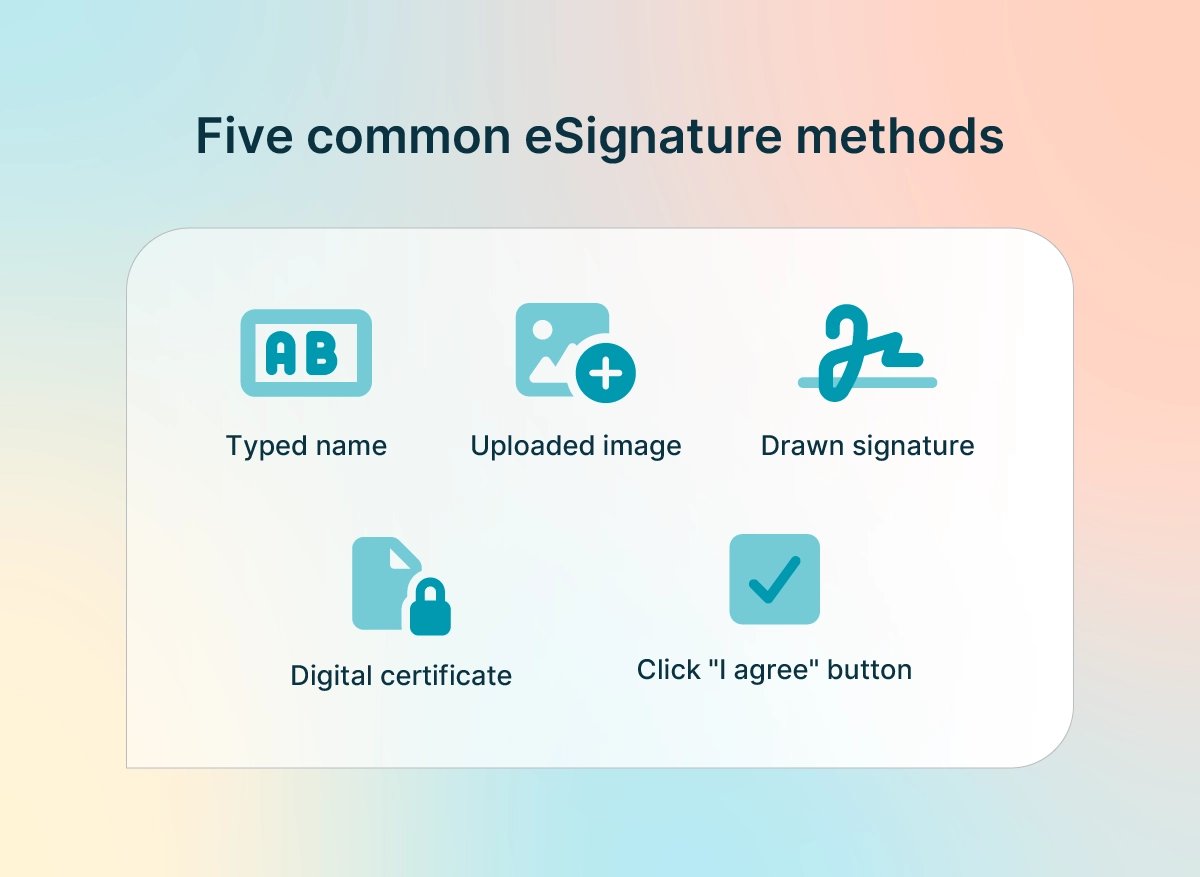
An eSignature (or electronic signature) is any electronic method used to indicate agreement or approval on a document. In practice, it’s the digital equivalent of signing your name, used to execute contracts, confirm consent, and authorize actions without needing paper.
Under the ESIGN Act, an electronic signature is defined as: “An electronic sound, symbol, or process, attached to or logically associated with a contract or other record and executed or adopted by a person with the intent to sign the record.” (FDIC)
In other words, if someone intends to sign, and the signing action is tied to the document, it can qualify as an electronic signature for business use.
Common ways to create an eSignature:
Typing a name into a signature field
Drawing a signature using a mouse, stylus, or finger
Uploading an image of a handwritten signature
Clicking an “I agree” button or checkbox
Using a digital certificate (more advanced, typically higher assurance)
eSignature vs. digital signature
Many people use these terms interchangeably, but there’s an important distinction:
eSignature is the broad umbrella term for electronic signing methods (typed name, click-to-sign, drawn signature, etc.). It’s sufficient for most professional services documents.
A digital signature is a specific type of eSignature that uses cryptographic technology (Public Key Infrastructure, or PKI) to verify identity and ensure document integrity.
For most law firm and accounting documents—such as engagement letters, client agreements, and routine authorizations—a standard eSignature is legally sufficient. Digital signatures are typically reserved for high-security transactions or niche regulatory contexts where cryptographic proof is required.
Are eSignatures legally binding?
In most cases, yes. U.S. law recognizes eSignatures as enforceable when certain conditions are met. The core framework comes from:
The ESIGN Act (2000), which grants eSignatures the same legal status as handwritten signatures for transactions in or affecting interstate commerce
The UETA (Uniform Electronic Transactions Act) was adopted by most states to provide consistent state-level recognition of electronic transactions
eSignatures are legally binding when:
All parties consent to conduct business electronically
The signer intends to sign
The signature is associated with the document
The record is retained and reproducible
For law firms and accounting practices, it’s critical to demonstrate enforceability with an audit trail, authentication, and record retention.
Why professional firms are adopting eSignatures
Law firms and accounting practices are increasingly adopting eSignatures to improve efficiency, client experience, and security—especially as remote and hybrid work become more common. Demand is also rising broadly: Emergen Research has reported strong growth projections for the digital signature market.
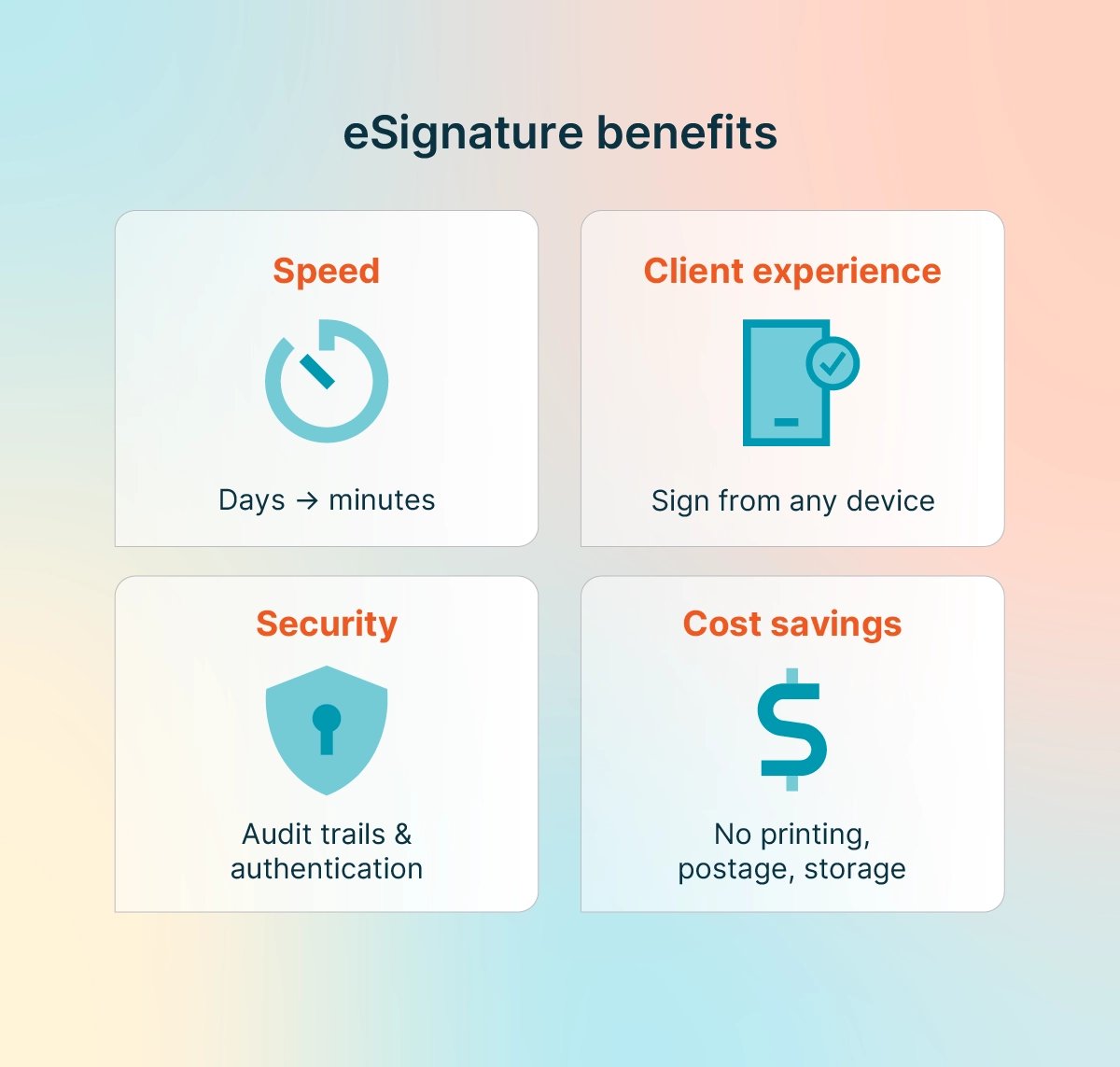
Here are the benefits, framed specifically for professional services:
Faster client onboarding and document turnaround: eSignatures can reduce turnaround from days to minutes—especially when paired with templates, automated reminders, and mobile-friendly signing.
A better client experience: Clients can often sign in from any device (phone, tablet, computer), anywhere, at any time. For firms, that convenience translates into fewer delays and a more professional client experience.
Enhanced security and audit trails: Many eSignature solutions include security and verification features, such as:
Audit trails (timestamps, signer identity steps, and IP addresses)
Digital tamper-evident seals (proof that a document hasn’t been altered)
Signer authentication (email verification, SMS codes, access codes, KBA)
Cost savings and efficiency: Firms reduce expenses associated with printing, postage, physical storage, and staff time spent collecting signatures. A Forrester Total Economic Impact study found meaningful time savings across common transactions—typically about 1.5 hours saved per transaction in organizations transitioning from manual workflows to eSignatures.
These savings compound quickly for high-volume firms, especially during peak periods, such as tax season or high-intake practice areas.
Key features to look for in an eSignature solution
Not all eSignature tools are created equally. Professional services firms need more than a basic signing link—they need security, compliance support, and seamless adoption by staff and clients. Use the checklist below to evaluate options.
Security and compliance certifications
When evaluating eSignature tools, professional firms should prioritize providers that can demonstrate strong security practices and independent validation. Look for platforms that meet recognized standards, including:
SOC 2 Type II compliance: Third-party verification that security, availability, and confidentiality controls are designed and operating effectively
256-bit encryption: Industry-standard data protection for documents both in transit and at rest
HIPAA compliance: Essential for firms that handle health-related or medical information
GDPR compliance: Important for firms serving clients in the European Union
Reputable providers make their certification and compliance documentation readily available. Rather than assuming a platform meets these standards, firms should review and verify this information as part of the selection process.
Signer authentication options
Verifying signer identity is essential to enforceability, especially when disputes arise or when documents carry a higher risk. Common methods include:
Email verification link (standard)
Access codes sent via SMS or email
Knowledge-based authentication (KBA) or questions based on public records
Government ID verification
Professional firms should choose solutions with multiple authentication levels so they can match the signing process to the sensitivity of each document. For example, a basic engagement letter may only require email verification, while a tax authorization or settlement document may warrant stronger identity checks.
Audit trails and tamper-evident records
For professional firms, audit trails provide the documentation needed to defend an eSignature if it’s ever challenged. A complete audit trail should include:
Document access history
Signer actions (viewed, signed, declined)
Timestamps and IP addresses
Certificate of completion
These details create a clear record of what happened and when, and they help confirm that the document hasn’t been altered after signing. Strong audit trails and tamper-evident records are essential for resolving disputes and demonstrating compliance during audits, investigations, or client conflicts.
Integration with practice management software
Standalone eSignature tools often require users to switch between apps, manually upload documents, and track statuses across separate systems. This creates workflow friction and increases the risk of delays and missing files.
The best approach is to use an eSignature tool that integrates with your core system, allowing you to:
Send documents for signature from within your workflow
Automatically attach signed documents to client and matter records
Track signature status alongside other case activity
If your firm is already using case management tools, look for integrated eSignature options like the one available in 8am™ MyCase.
Mobile accessibility
Your clients (and your team) aren’t always at a desk, especially when documents need to be signed quickly. A mobile-friendly signing experience—one that works smoothly in a browser and doesn’t require app downloads—makes it easier for clients to complete signatures the moment they receive a request. This convenience can significantly improve completion rates, reduce delays, and cut down on follow-up emails or calls from staff. For professional firms, mobile accessibility also supports a better client experience by meeting clients where they are: on their phones, on the go, and often short on time.
Common eSignature use cases for law firms
Law firms use eSignatures throughout the client lifecycle, from intake to matter completion. While most documents can be signed electronically, there are exceptions (which we’ll cover later).
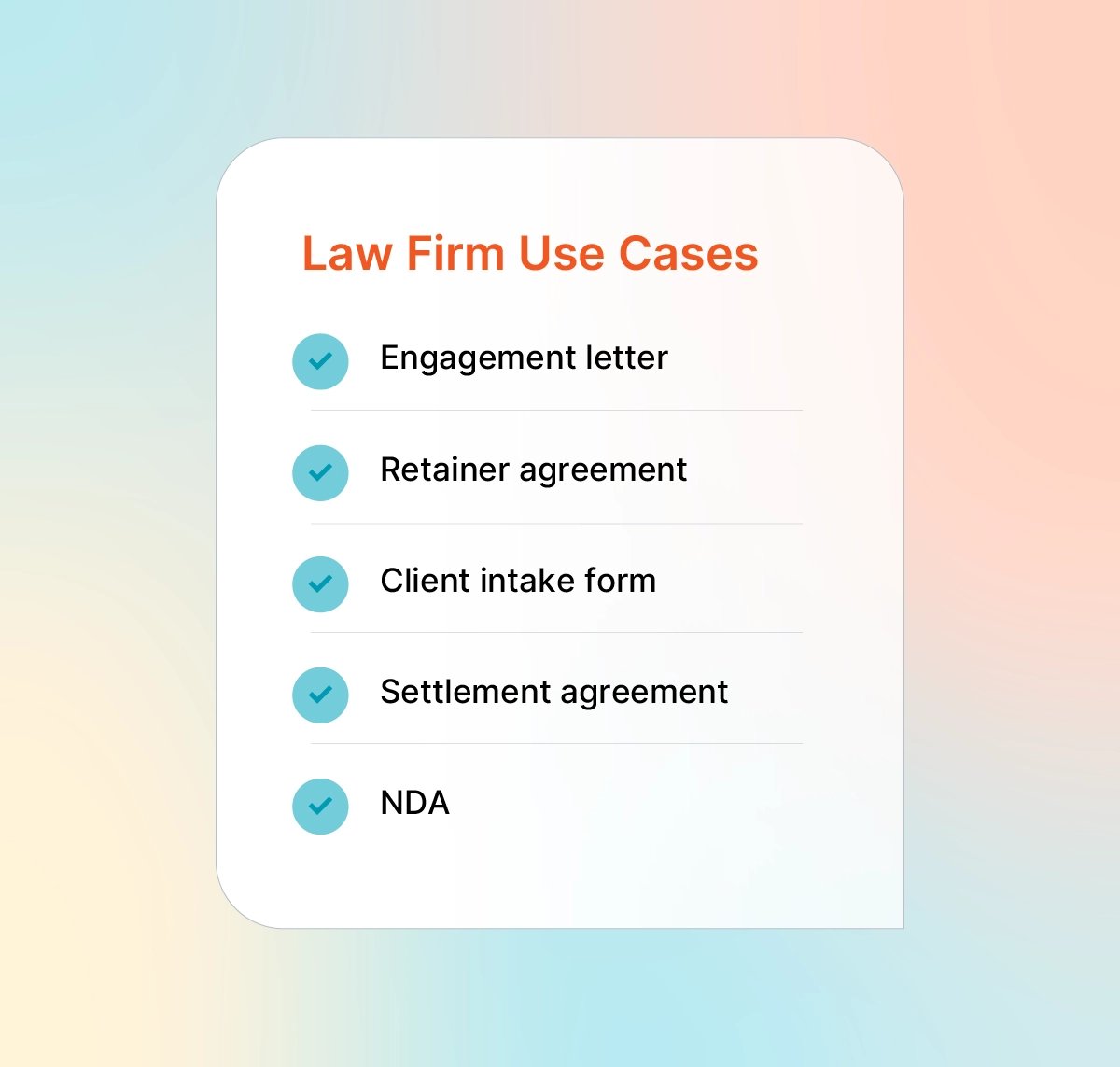
Engagement letters and retainer agreements
Engagement letters establish scope, fees, and the attorney-client relationship. Delays in obtaining signatures can push back case start dates and impact revenue recognition.
With eSignatures, firms can send engagement letters immediately after a consultation, capture signatures while the client is still engaged, and begin work sooner. Templates and pre-filled fields can further reduce admin time.
Client intake forms and authorizations
Intake forms, medical record authorizations, and conflict waivers often require signatures. Paper workflows create bottlenecks and increase the chance of missing or incomplete documents.
eSignatures enable clients to complete paperwork remotely—often before their first meeting—saving time for both the client and the firm and improving readiness for the initial consultation.
Settlement agreements and releases
Settlement agreements often need to be executed quickly to finalize cases and trigger payment. Waiting for wet signatures can delay closures and create unnecessary client frustration.
eSignatures enable same-day execution when all parties are ready to settle, improving client
satisfaction and firm cash flow.
NDAs and confidentiality agreements
Non-disclosure agreements (NDAs) are commonly used before sharing sensitive information with experts, consultants, vendors, or opposing parties. eSignatures help firms execute NDAs quickly, eliminating the need for in-person meetings and mail.
Court filings and declarations (where permitted)
Many courts now accept electronically signed filings, but rules vary widely by jurisdiction and document type. Firms should verify local court rules before submitting electronically signed documents, as some jurisdictions require specific signature formats or certifications.
Client declarations and verifications can often be signed electronically, saving significant coordination time (particularly when clients are remote or have demanding schedules).
Common eSignature use cases for accounting firms
Accounting firms face similar document challenges: engagement letters, authorizations, and compliance documents all require signatures. eSignatures help automate these workflows—which is especially valuable during tax season, when volumes are high, and timelines are tight.
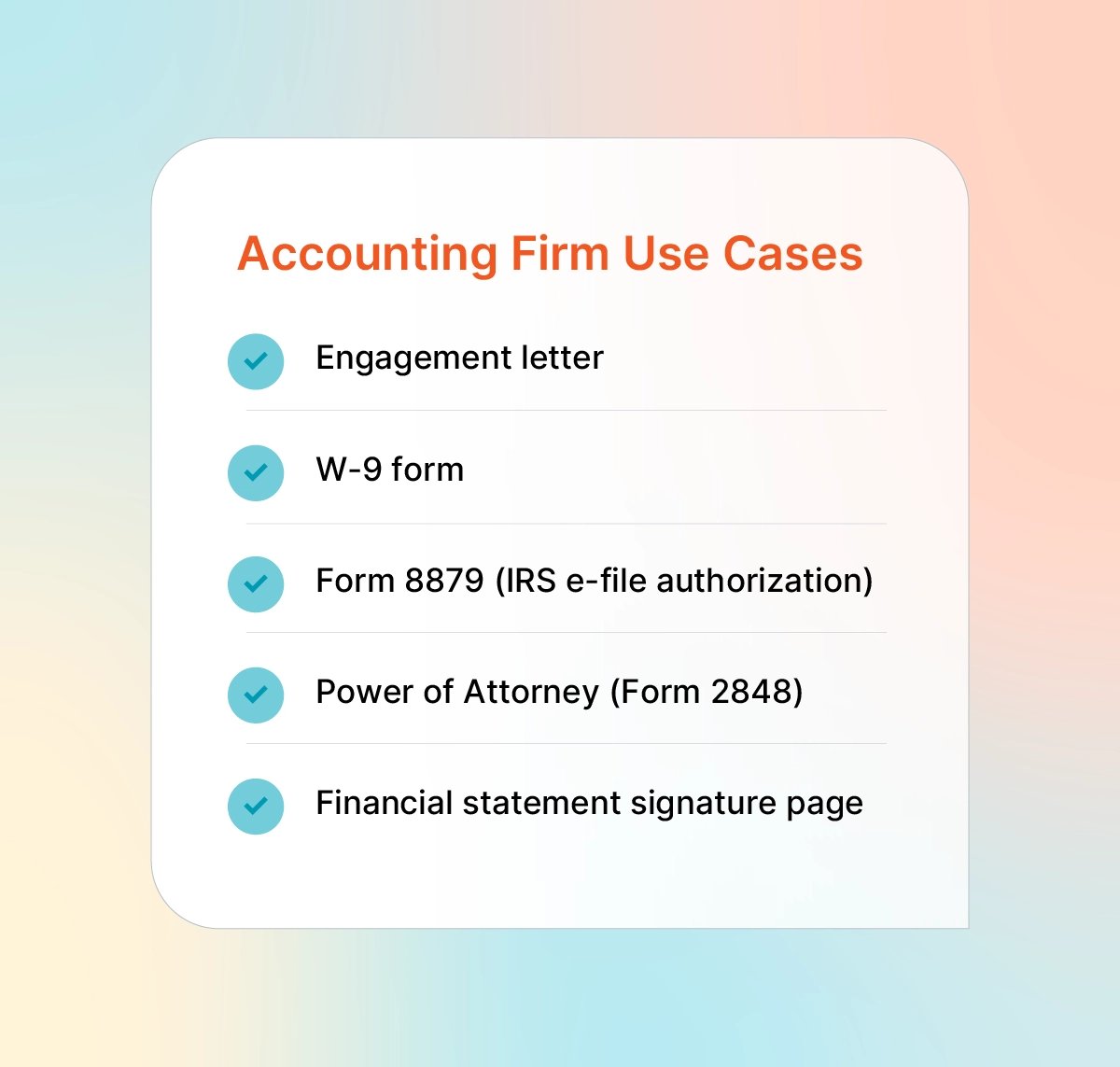
Engagement letters
Accounting engagement letters define scope (tax preparation, audit, advisory) and typically must be signed before work begins. eSignatures allow firms to send engagement letters in bulk, track completion, and send automated reminders, making it easier to formalize engagements before deadlines.
Client onboarding documents
New client onboarding typically includes W-9 forms, fee agreements, and data-sharing authorizations. With eSignatures, clients can review and sign everything in one go, without printing, scanning, or emailing forms back and forth. That means fewer delays, fewer follow-ups, and a smoother start for everyone before work officially begins.
Tax authorization forms (Form 8879, POA)
Form 8879 (IRS e-file Signature Authorization) has historically required wet signatures. But the IRS now allows electronic and digital signatures in certain contexts, as long as firms meet identity verification and record retention requirements.
The IRS has also issued separate guidance that expands when electronic and digital signatures are acceptable in other IRS interactions—and, in some cases, allows the use of encrypted email for certain compliance communications. These flexibilities are distinct from the Form 8879 rules above and may apply to additional tax documents and IRS processes, depending on the situation.
Financial statements and disclosures
Audited financial statements, management representation letters, and disclosure documents often require multiple signatures from client personnel. eSignature tools that support sequenced signing (e.g., the CFO signs, then the CEO) ensure the proper approval order while eliminating document routing delays.
Security and compliance considerations
Professional firms operate under strict ethical and regulatory requirements. While eSignatures are broadly accepted, firms must understand which rules apply to their practice and how to select workflows that support compliance.
ESIGN Act and UETA compliance
The ESIGN Act and UETA establish the baseline legal framework for eSignature validity. Key requirements include:
The intent to sign must be clear
Consent to electronic transactions must be established
Records must be retained in an accessible format
Attribution to the signer must be demonstrable
Reputable platforms are designed to meet these requirements automatically, in terms of consent language, audit trails, and record retention.
State bar rules and ethics considerations
Attorneys have ethical obligations to protect client information and maintain competence in the technology they use.
ABA Model Rule 1.6 (confidentiality) requires reasonable measures to prevent unauthorized access. Secure eSignature solutions can support this obligation.
Some state bars have issued ethics opinions that specifically address electronic signatures. Firms should review the guidance for their jurisdiction, especially if they are handling high-risk documents or sensitive client circumstances. The duty of competence (ABA Model Rule 1.1) increasingly includes the expectation that lawyers understand the technology tools they use in practice.
IRS requirements for tax documents
The IRS allows eSignatures for many tax-related documents, but firms must follow specific requirements to ensure the signatures are valid and compliant. In general, the IRS requires:
Identity verification (knowledge-based authentication, PIN, or other approved method)
Documented consent to electronic signature
Signed documents to be retained for specified periods
Because IRS guidance can change—sometimes from one filing season to the next—accounting professionals should confirm the current requirements before each tax season and adjust their eSignature workflows accordingly.
Documents that still require wet signatures
Some documents may still require wet signatures because they are excluded from ESIGN/UETA or governed by separate state or federal rules. While policies often vary by state and jurisdiction, common examples include:
Wills, codicils, and testamentary trusts
Some family law documents, such as adoption and divorce
Certain court documents
Certain real estate documents
Documents governed by UCC Articles 3, 4, 9 (negotiable instruments, bank deposits and collections, and certain secured transactions)
When in doubt, verify jurisdictional requirements or use handwritten signatures for sensitive documents.
How to implement eSignatures in your firm
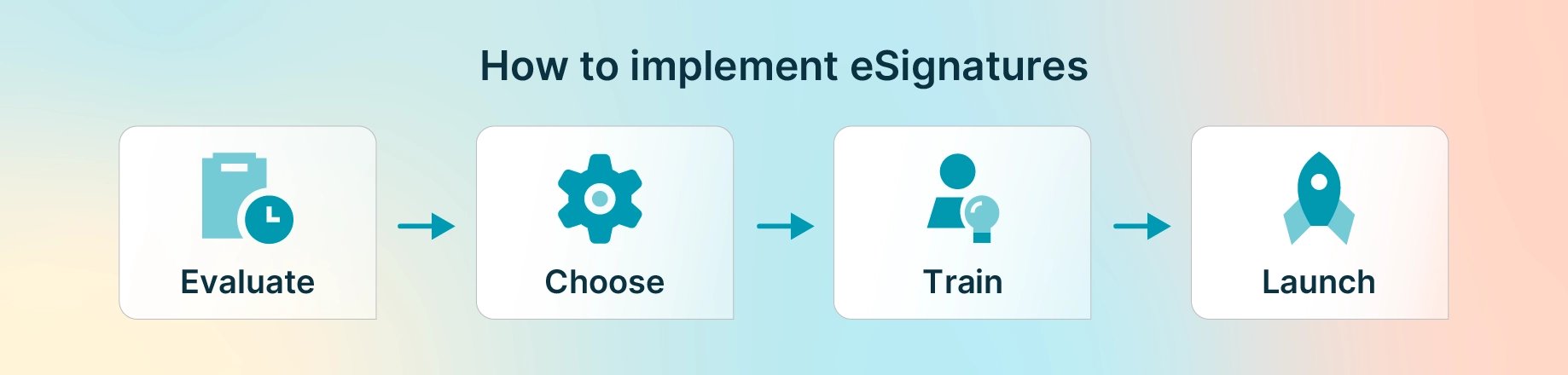
Adopting eSignatures requires more than buying software. Successful implementation includes workflow planning, staff training, and client communication.
Evaluate your current document workflows: Start by identifying which documents require signatures, where bottlenecks occur, and which steps are manual (such as printing, scanning, follow-ups, and filing). Prioritize high-volume and high-impact documents, such as engagement letters, onboarding forms, and authorizations.
Train your team: Training should cover how to send documents, track status, use reminders, and apply the proper security settings. Ensure staff understand when enhanced authentication is required and how to address common client issues.
Communicate with clients: Proactively set expectations. Clients are more likely to adopt new processes smoothly when you explain what’s changing, why it’s beneficial, and how to get help if needed.
Choose an integrated solution like 8am
For professional firms, integrating eSignatures into existing systems reduces friction and keeps workflows running smoothly.
An integrated eSignature solution allows you to:
Send signature requests from within your existing workflow
Automatically attach signed documents to client and matter records
View signature status alongside other activity
Avoid duplicate data entry and manual file management
The 8am ecosystem supports integrated eSignature capabilities across leading professional solutions:
If your firm is evaluating end-to-end practice management platforms, look for a solution that enables you to manage your entire document workflow within a single, cohesive system.
Implement payment platforms with eSignature capabilities
Many firms also benefit from capturing signatures as part of the billing process, including payment authorizations, billing terms, and other compliance-related documentation. Some payment and billing solutions include built-in signature capture, which helps firms reduce friction, document client consent, and keep authorization records organized in one place.
8am payment solutions support these workflows, including CPACharge for accounting payments and client signatures, and ClientPay for digital signature support on payment authorizations. This is particularly helpful for firms that want a smoother client payment experience without juggling separate tools for billing and signed approvals.
Enhance your firm with eSignatures
eSignatures are no longer optional for professional firms that want to compete effectively. They improve client experience, accelerate workflows, strengthen security, and reduce administrative costs. They also support modern, responsive client service without creating compliance risks.
If you’re planning your next steps, start by reviewing your existing signature workflows and identifying where bottlenecks are occurring. An organized, streamlined system can reduce delays, improve service, and help your team spend more time on higher-value work.
Explore how 8am helps professional firms modernize their document workflows.