



Key takeaways
Legal AI workflow automation supports how legal work already happens, without replacing your expertise
61% of legal professionals save time weekly with AI, and 33% say it improves quality even when time savings are minimal
The biggest workflow problems in most firms come from inconsistency, not slow speed
At every step of an AI-driven legal workflow, the attorney defines the work, reviews the output, and owns the outcome
The right implementation path is to start with one workflow, define your human checkpoints, then expand
The fear that underlies most hesitation about legal AI workflow automation isn't irrational. Lawyers are trained to be careful, precise, and personally accountable. Introducing a technology that processes information and generates output—fast and at scale—feels like the first step toward something you can't take back.
But that fear is answering the wrong question. It’s not, "Will AI make decisions for me?" It's, "Which parts of this workflow don't actually require my judgment?"
Legal AI workflows are built on that distinction. AI can handle the steps that slow your law firm down without added expertise. It hands you work that's organized, drafted, and triaged, so when you step into your day, you're working on the parts that matter and require your judgement. That's not a reduction in your control, it’s a better use of it.
What is legal AI workflow automation?
Legal AI workflow automation is the use of AI to move work through a legal process more reliably. It handles the steps between legal intake and decision that typically require manual effort, attention, and re-entering information.
It's helpful to distinguish this from older forms of automation, because they work very differently:
Rules-based automation follows predefined logic: If this, then that. It's useful when sequences are perfectly predictable, but most legal work isn't. A contract with an unusual clause, an intake form with a missing field, or an email that doesn't match an expected template can break these rules-based systems.
AI-powered automation works with unstructured inputs like documents, emails, client responses, and scanned forms. It can interpret, organize, and prepare information before you even begin your review, without needing every variable anticipated in advance.
The practical difference is that rules-based systems need perfect inputs, while AI-powered systems can handle work that’s less uniform. But in either case, the structure begins and ends with human expertise, which is why applying AI for law firms in real workflows matters more than the technology itself.
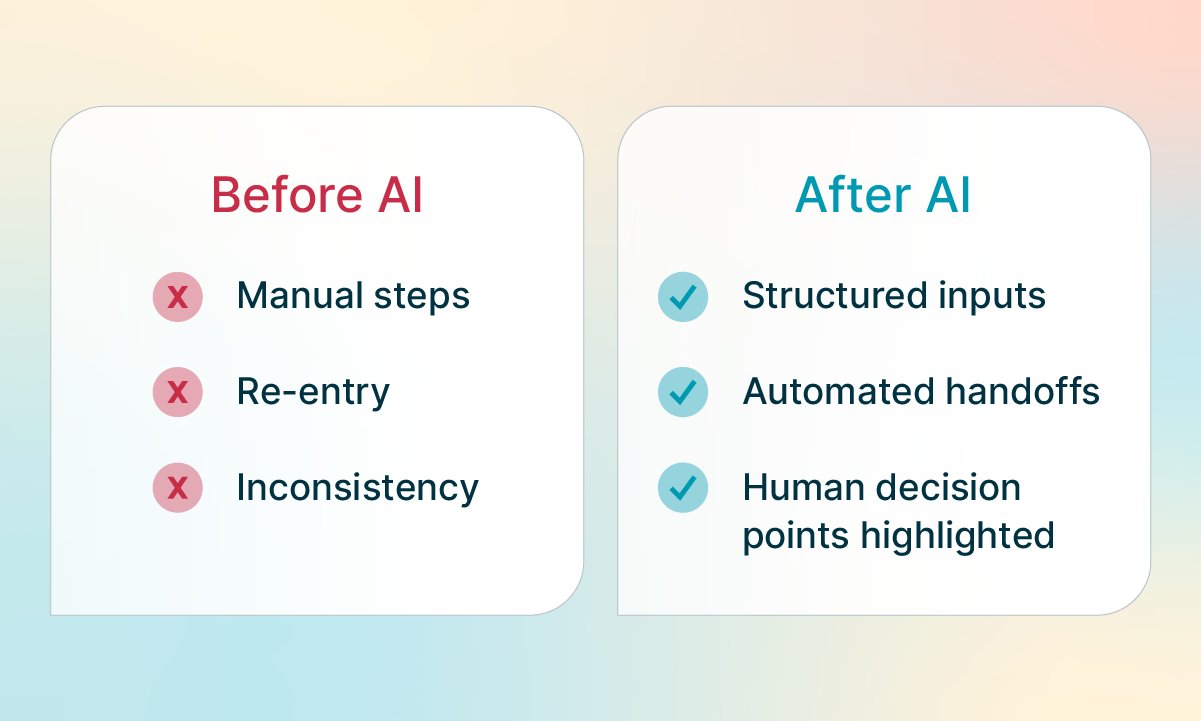
Benefits of automating legal workflows with AI
The standard pitch for AI in legal operations is time savings, but a better case is consistency.
According to the 8am™ 2026 Legal Industry Report, 61% of legal professionals say AI saves them time each week, with 38% saving 1–5 hours and 14% saving 6–10 hours. But 33% of legal professionals say AI improves their work quality even when it produces no measurable time savings.
The problem most firms have isn't that work happens too slowly, it’s that it’s unpredictable. You can’t predict every action or timeline throughout a working relationship, and that changes the business workflow. Information gets re-entered across systems, documents get reviewed without full context, and drafts start from different baselines depending on who's handling them. That's where errors happen, where capacity gets lost, and where the cost of busywork professional risk quietly accumulates.
AI-powered workflow automation helps stabilize those early and middle steps. Intake becomes consistent, documents arrive organized, and research and drafts begin from a reliable starting point. By the time the work reaches you, you're not reconstructing context, you're applying judgment to something that's already prepared.
This is why AI adoption is happening across all firm sizes—not just Big Law or large in-house teams. In the same 2026 Report, 83% of survey respondents came from solo or small firms. At that scale, every hour recovered has a direct impact on capacity and revenue. And when legal professionals were asked which investment would deliver the biggest ROI over the next three years, AI tools came out on top at 29%, ahead of case management software (25%), legal research tools (18%), and other categories like billing and client communications.
Legal AI workflow examples: What automation looks like in practice
The clearest way to understand legal AI workflows is to look at where the handoff happens. Here's how that plays out across the workflows where AI is already delivering results.
Client intake and matter opening
Intake is where workflow breakdowns begin for most firms. Information arrives inconsistently, with missing fields, unclear answers, and details that require follow-up before a matter can even open. Someone in the firm has to catch all of it, interpret it, and re-enter it into the right system.
Here's what that process could look like with AI-powered automation:
Client submits intake form via the firm's client portal
AI extracts and categorizes key information, flags missing fields, and surfaces potential conflicts
Conflict check is triggered automatically based on extracted parties and matter type
Attorney reviews the structured summary, approves or flags concerns
Matter opens automatically with all relevant fields populated
The attorney's judgment is required at step 4. The time spent in steps 1–3 goes from manual to handled.
Immigration law has the highest personal AI adoption rates of any practice area at 82%, according to the Legal Industry Report. This could be because immigration work involves high volumes of repetitive document preparation and form-heavy intake, exactly the kind of work where AI-powered workflows compound their value fastest.
For a deeper look at intake automation tactics, including AI prompts for diagnosing intake bottlenecks, see AI for law firm workflows.
Contract review and drafting
Drafting often feels slow because of the writing and research. Most of the time goes to pulling the right clauses, checking for consistency against prior agreements, and rebuilding structure from scratch.
AI-supported workflows can change that starting point:
Incoming contract is uploaded for analysis
AI reviews against the firm's standard clause library, flags non-standard provisions, and surfaces missing sections
A first draft is generated based on approved templates and clause language
Attorney reviews flagged items, evaluates risk, and shapes the agreement's terms and strategy
The AI prepares the document, and the attorney decides what it should say. When every contract starts from the same reviewed baseline, the variance that once created risk gets reduced before you ever open the document. This makes the work more consistent from the start.
Legal research and motion drafting
Legal research has a clear division of labor. The attorney defines the question: What's the legal issue, what jurisdiction applies, what standard governs. AI handles the retrieval and organization of relevant authority.
Here's a what this workflow could look like:
The lawyer identifies the legal question and inputs parameters
AI retrieves relevant case law, statutes, and secondary sources
AI organizes findings and generates a structured research memo or draft argument
Attorney reviews the analysis, evaluates relevance and authority, and refines the argument
Final motion is shaped, edited, and filed by the attorney
Still, the output is only as useful as the attorney's ability to evaluate it. This model keeps expertise at the center where it belongs.
According to the 2026 Legal Industry Report, 38% of legal professionals are already using AI for legal research, and 58% for general research. It's one of the most common ways AI shows up in daily legal work.
Document review and due diligence
High-volume document review has always had one constraint: There's more to read than time allows. AI-powered workflows change the starting point.
Document set is uploaded, including contracts, filings, discovery, or diligence materials
AI extracts key data points like parties, dates, clauses, obligations, deadlines, anomalies
AI flags areas of potential interest or risk for attorney review
Attorney reviews flagged items, evaluates materiality, and makes judgment calls
Summary or report is generated based on attorney review
Instead of starting from everything, you start from what's most likely to matter. That improves coverage and keeps your review time focused. The evaluation is still entirely yours. AI just narrows the field of view for you.
Deadline and task management
Not every workflow problem is about drafting or research. Some of the most consequential issues in legal operations come from task management. A missed deadline, a reminder that didn't trigger, or a task that fell through a handoff can have substantial costs.
AI-powered workflow tools keep these systems running in the background:
Deadlines are calculated automatically based on matter type and jurisdiction
Tasks are assigned and tracked against the matter timeline
Reminders escalate based on proximity to the deadline and resolution status
You're setting priorities and stepping in when escalation is needed. Control comes with having reliable systems running the right things underneath your firm.
LawToolBox, a partner of 8am, can help you reach new deadline calculations right in 8am MyCase by automatically pulling dates out of documents, converting handwritten court orders into actionable deadlines, extracting deadlines from emails and attachments, and mapping deadlines from links to civil rules and other documents.
Where AI stops and professional judgment begins
AI is most powerful when it works beneath your expertise. You define the problem, shape the strategy, and own the outcome. AI handles the research, the drafting, and the routine work.
Adopting AI workflow automation doesn't change professional responsibility. Competence, supervision, and accountability still sit entirely with the attorney. AI-powered tools should support those obligations, not shortcut them.
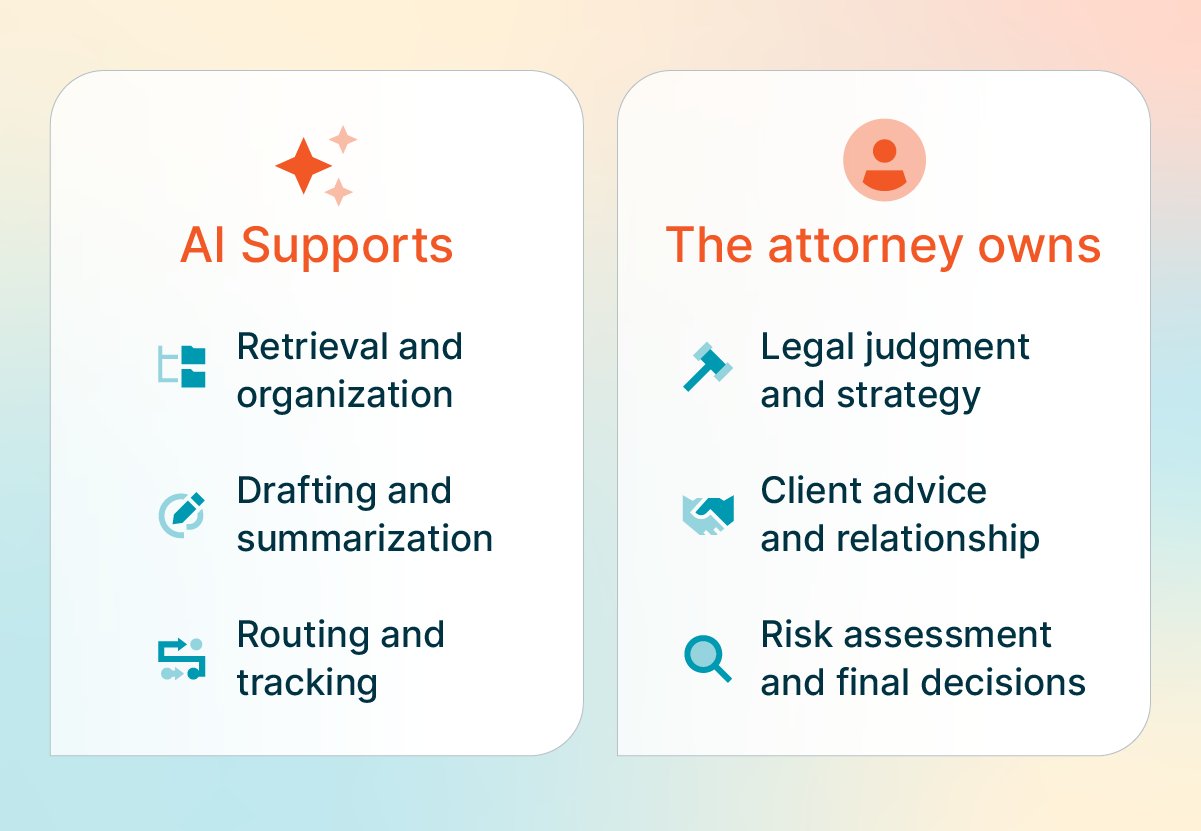
AI supports:
Retrieval and organization
Drafting and summarization
Routing and tracking
The attorney owns:
Legal judgment and strategy
Client advice and relationship
Risk assessment and final decisions
As AI becomes more embedded in legal work, the skills that matter most become more important. When legal professionals were asked which skills would become more valuable as AI adoption increases, they ranked legal judgment and strategy second (53%) and client relationship management third (52%), behind only technical fluency with AI tools (61%).
AI doesn't replace the attorney's expertise. It makes it more valuable.
This is how 8am IQ legal assistants are built: They use legal AI workflows to help with document review, writing, and OCR with attorney oversight, security, and confidentiality built in. It’s not a general-purpose AI tool adapted for law. It’s built for legal work to keep the attorney in control.
How to implement legal AI workflow automation software
Most firms don't need to overhaul their entire operation to see results.
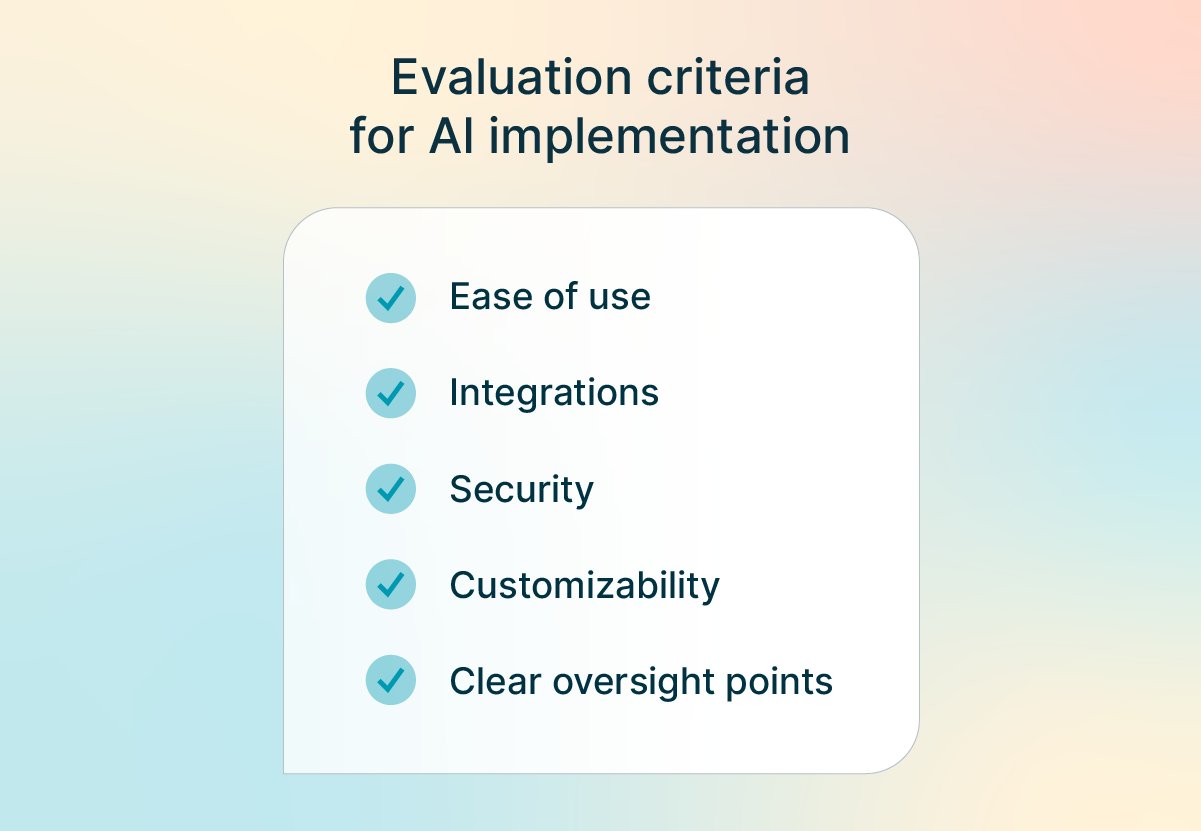
When evaluating legal AI workflow automation software, the questions that matter most are about fit. The top reason firms report choosing legal-specific AI tools over general-purpose ones is that the AI is already built into trusted software they’re using (52%), followed by the provider understanding their workflows (47%) and ethical requirements (46%). Familiarity and trust matter as much as capability.
Here's how to approach implementation:
Step 1: Audit your current workflows. Identify the highest-volume, most repetitive tasks first, like intake, standard contracts, and document review. These have the best return because the manual steps are most predictable.
Step 2: Choose tools that fit your stack. Purpose-built legal AI tools integrate with your existing practice management software. Avoid tools that require you to rebuild workflows around them.
Step 3: Define your human checkpoints. Before automating anything, document where attorney review is required. This is both a risk management step and a professional responsibility requirement.
Step 4: Pilot one workflow, measure it, then expand. A focused pilot gives you the evidence you need to expand confidently and helps identify where your workflows need adjustment.
Step 5: Train your team. Adoption matters just as much as implementation. Attorneys and staff need to understand where AI supports the workflow and where their review is required.
8am IQ is built for the way lawyers work
Most AI tools are designed to show what's possible. 8am IQ, which is a suite of smart assistants designed to fit into the work that’s already happening in your day.
It's AI that’s purpose-built for legal professionals, not general-purpose assistants adapted for law. Each assistant is built with real legal workflows, security, and attorney oversight in mind.
Here's what that looks like in practice:
Draft faster: Writing Assistant can be used when drafting or adjusting tone on notes, invoice descriptions, and correspondence in seconds right inside 8am MyCase. It can even translate Spanish and Arabic documents.
Understand any case instantly: Case Assistant scans filings, discovery, and notes to surface key facts, deadlines, and parties automatically so you're working from a full understanding.
Summarize documents in moments: Document Assistant reads key details—parties, dates, obligations, critical clauses—and pulls out what matters most.
Make every document searchable instantly: Discovery Assistant converts scanned files and image-based PDFs into structured, searchable text the moment they're uploaded.
Because 8am connects intake, case management, and financial workflows, that consistency carries through the entire matter. AI supports the work so you can focus on what actually requires your expertise.
If you're building out your firm's approach to AI, head to these resources next:
Getting started with AI for legal professionals (webinar) — A practical walkthrough for firms at any stage of AI adoption, from first workflow to firm-wide rollout.
The AI Tipping Point for Law Firms (guide) — Most legal professionals are already using AI, but more than half work at firms with no formal policy to support it. This guide covers where the gaps are and what it takes to close them.
Learn more about practical AI tools from 8am that help legal professionals simplify operations and save time.