


Key takeaways
-
Optical character recognition (OCR) converts scanned images of text—including dense legal documents, signatures, and complex formatting—into searchable, readable text and structured data, without requiring manual re-entry.
-
OCR is now available in 8am TM MyCase: With 8am IQ Discovery Assistant, firms can automatically convert scanned PDFs and image files into searchable text. Scanned files can also be used for AI-assisted search and drafting.
-
For law firms, this closes the gap between the physical documents you receive and the case management solution your team works in every day.
Law firms handle a constant flow of scanned and physical documents, from medical records and police reports to court filings and handwritten intake forms. Many of those files arrive as digital images or PDFs that cannot be searched, filtered, or analyzed inside the case record.
OCR, or optical character recognition, solves this problem by converting scanned documents into searchable text. Attorneys and staff can use OCR to find and extract details from scanned files without opening documents one by one or transcribing text manually.
8am IQ Discovery Assistant —a built-in OCR tool now available in 8am MyCase—processes scanned PDFs and image files automatically as soon as they’re uploaded. It then converts these files into readable text, making the information inside those records accessible across the case workflow.
This expands what MyCase Advanced users can do with the documents their firms manage every day. Information from scanned records can now contribute to faster document review, stronger search capabilities, and more informed AI-powered insights.
Here’s a closer look at how OCR for legal documents works and why it can make case files easier to organize, review, and use.
What does OCR do for law firms?
OCR allows law firms to work with scanned records the same way they work with native digital documents. It makes high-volume document collections easier to review and manage by turning image-based records into usable data that can be incorporated into case files and AI-assisted workflows.
Types of information legal OCR can extract
Legal OCR software can identify and capture key details buried inside scanned case documents. Depending on the file, OCR for law firms may extract information such as:
-
Party names and signatures
-
Dates and deadlines
-
Case numbers and Bates numbers
-
Diagnoses and treatment details
-
Filing information and court references
| Document type | What OCR extracts |
| Medical records | Diagnosis, medications, treating physician, treatment dates |
| Police reports | Party names, incident date, location, case reference numbers |
| Court filings | Party names, filing dates, Bates numbering, case numbers |
| Handwritten intake forms | Client name, contact details, matter type, signatures |
| Opposing counsel productions | Bates numbers, dates, party names, document type |
How 8am IQ Discovery Assistant works in MyCase
Many firms rely on separate OCR utilities or document storage systems with built-in OCR capabilities, which can add software costs, extra administrative steps, and inefficient workflows between systems. But OCR is most useful when it works inside the same system where attorneys and staff already manage documents, matters, and case activity. This centralized approach can help firms reduce unnecessary software overhead while making document review and information retrieval faster and more reliable.
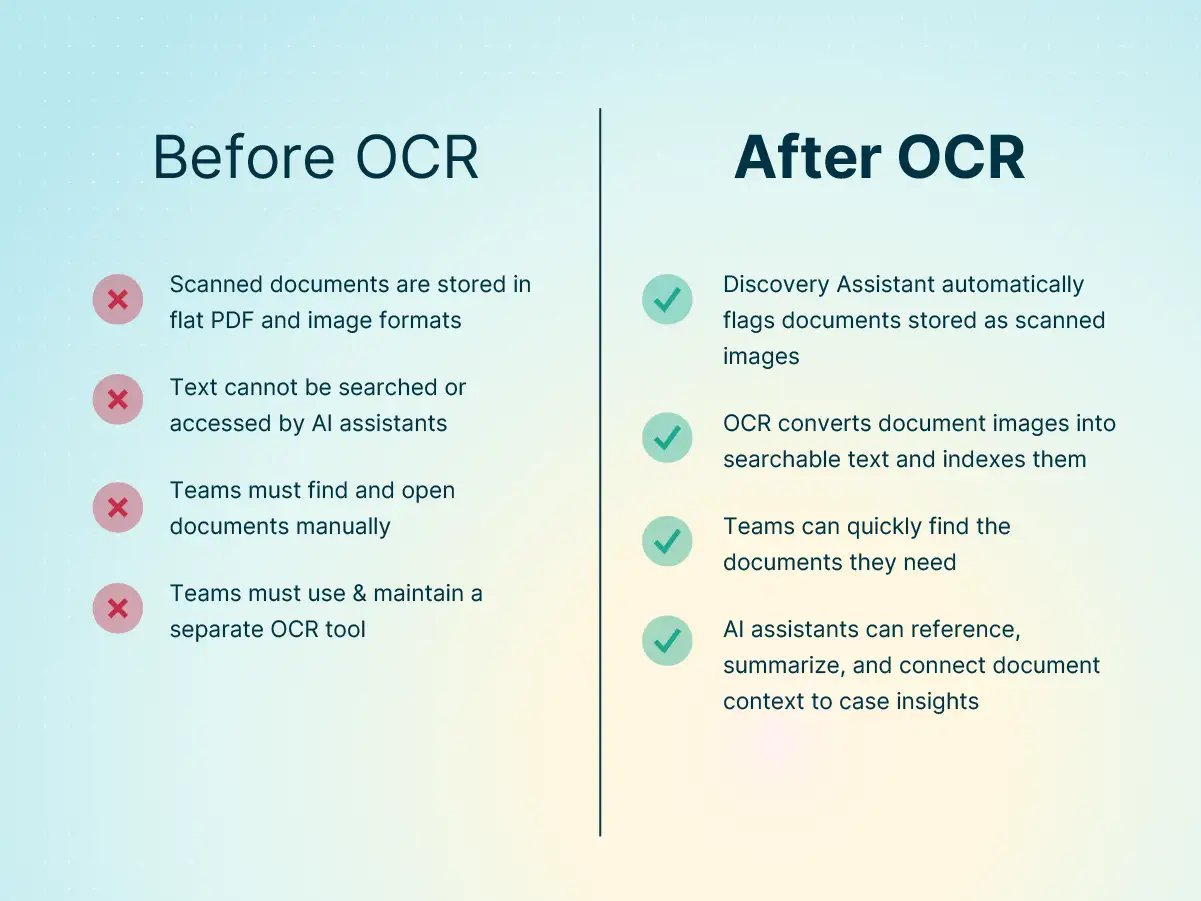
8am IQ Discovery Assistant brings image-to-text OCR directly into MyCase, helping firms turn uploaded records and image-based documents into usable matter data without the need for third-party tools. Because OCR runs within the existing case workflow, records can be reviewed, referenced, and surfaced alongside the rest of the matter from the moment they’re added.
The information inside those records can then be used to support AI-assisted review, summarization, drafting, and case research workflows. Discovery Assistant improves document management for law firms and enhances the value of MyCase for Advanced-tier customers by transforming it into a more intelligent system that goes beyond basic recordkeeping.
MyCase OCR workflow
Here’s how Discovery Assistant handles legal OCR in the MyCase workflow:
-
A scanned document is uploaded to a case file in MyCase.
-
Discovery Assistant detects it as a scanned image with no manual flagging required—PNG, JPG, PDF, and TIFF files are searchable by default.
-
OCR runs automatically in the background and converts the scanned image into text.
-
The document is indexed and becomes searchable alongside all other files in the case.
Supported document types
Discovery Assistant supports legal case file OCR across the scanned documents firms work with every day. Common examples include:
-
Scanned medical records from treatment providers can be searched by diagnosis, medication, or treating physician.
-
Police reports uploaded as PDFs can be searched by party name, incident detail, or location.
-
Court filings and Bates-numbered productions can be filtered by case number, filing date, and party information.
Strengthening AI-powered insights
When scanned records are converted into readable text, 8am IQ can incorporate that information into tasks such as document summarization, correspondence drafting, eDiscovery, and case research. Medical records, filings, intake paperwork, and discovery productions become part of the broader matter context instead of remaining isolated inside image-based files.
OCR also improves the quality and depth of the insights AI for law firms can deliver. With access to a larger, more complete set of case information, AI-generated summaries, document analysis, and drafting suggestions can reflect a fuller picture of the matter and reference details pulled directly from uploaded records.
Which firms can benefit from legal OCR solutions?
OCR solutions for law firms can improve document management for any practice that regularly works with scanned records, image files, or handwritten paperwork. Discovery Assistant runs inside MyCase without requiring firms to rebuild workflows or configure a separate OCR system.
Some of the practice areas that benefit from legal OCR include:
-
Personal injury : Medical records, imaging reports, and treatment notes often arrive from providers as scanned packets. OCR helps firms surface diagnoses, dates, and physician information faster.
-
Immigration : International records, handwritten forms, and government-issued documents can be indexed alongside USCIS paperwork. This makes supporting records easier to review across large case files.
-
Litigation : Bates-numbered productions received as scanned PDFs become text searchable after upload. Attorneys and staff can search by party name, filing date, or case number instead of reviewing documents page by page.
Use Discovery Assistant OCR at your practice
8am IQ Discovery Assistant helps law firms process scanned records consistently without adding extra administrative work or requiring separate tools outside of the case workflow. Converting image-based files into usable matter data helps prevent silent gaps in case information and improves how documents are handled across the practice.
Discovery Assistant is included with MyCase Advanced subscriptions at no extra charge, making MyCase the only legal practice management solution that offers AI and embedded OCR in one core package with no add-ons or integrations required. See how 8am IQ works with the records, filings, and PDFs your team manages every day by exploring 8am IQ for MyCase and booking a demo.
Visit our Practical AI for Law Firms Hub to explore real-world workflows, download our Generative AI Legal Guide, and learn how 8am is building the future of legal tech